Unit 7 · 9 teaching hours · 17 min read
Structures, Unions and File Handling
What the syllabus asks for 5
- Structures
- Unions and enumerations
- The preprocessor in brief
- Files
- Eight uses of structures, unions and files
Arrays hold many values of the same type. Real records (a student with a name, a roll number and marks) mix types, so C offers the structure. And because variables vanish when the program ends, files let data survive. These two ideas together are the smallest database.
- Structures: declaration, initialisation, access with
.and->, arrays of structures, nesting, passing to functions,typedef. - Unions and how they differ from structures (size, memory, use).
enumand the preprocessor basics (#define, macros,#include, conditional compilation).- Text and binary files: modes,
fopen/fclose,fprintf/fscanf,fgets/fputs,fread/fwrite,fseek/ftell/rewind, error checking.
7.1 Structures
struct student {
    int roll;
    char name[30];
    float marks;
};
This declares a new type struct student and reserves no memory. Create variables with struct student s1, s2;. Initialise with braces in member order: struct student s1 = {1, "Asha", 82.5f};. C99 also allows designated initialisers: {.name = "Asha", .roll = 1}.
Members are accessed with the dot operator on a structure and the arrow operator on a pointer to a structure: s1.roll, ps->roll (which is shorthand for (*ps).roll).
Assigning one structure to another of the same type (s2 = s1;) copies every member, including arrays inside it; arrays on their own cannot be assigned. Structures cannot be compared with ==; compare members.
typedef struct student Student; (or typedef struct { … } Student;) lets you write Student s1; without the word struct.
Memory layout and padding. Members are stored in declaration order, but the compiler inserts padding so each member sits at an address suitable for its type. struct { char c; int i; } is typically 8 bytes, not 5: 1 byte for c, 3 bytes padding, 4 for i.
Ordering members from largest to smallest reduces padding. Always use sizeof(struct …), never add member sizes by hand.
#include <stdio.h>
#include <string.h>

typedef struct {
    int roll;
    char name[20];
    float marks;
} Student;

struct date { int d, m, y; };
struct person { char name[20]; struct date dob; };

void print(const Student *s)
{
    printf("%d %-6s %.1f\n", s->roll, s->name, s->marks);
}

int main(void)
{
    Student cls[3] = {{1, "Asha", 82.5f}, {2, "Bikash", 67.0f}, {3, "Sita", 91.25f}};
    int best = 0;
    for (int i = 1; i < 3; i++)
        if (cls[i].marks > cls[best].marks)
            best = i;
    printf("topper: ");
    print(&cls[best]);

    for (int i = 0; i < 2; i++)
        for (int j = 0; j < 2 - i; j++)
            if (cls[j].marks < cls[j + 1].marks) {
                Student t = cls[j];
                cls[j] = cls[j + 1];
                cls[j + 1] = t;
            }
    for (int i = 0; i < 3; i++)
        print(&cls[i]);

    struct person p = {"Ram", {14, 4, 2005}};
    printf("%s was born in %d\n", p.name, p.dob.y);
    printf("sizeof(Student)=%zu\n", sizeof(Student));
    return 0;
}
topper: 3 Sita   91.2
3 Sita   91.2
1 Asha   82.5
2 Bikash 67.0
Ram was born in 2005
sizeof(Student)=28
(91.25 prints as 91.2 because %.1f rounds the binary value half to even; the size 28 = 4 + 20 + 4 with no padding needed here.)
Passing a structure to a function by value copies all of it; for anything bigger than a couple of members pass a pointer (const Student *s) as print does. An array of structures is a table; sorting it swaps whole records.
Nested structures model "has-a" relations (p.dob.y). Self-referential structures hold a pointer to their own type and form linked lists: struct node { int data; struct node *next; };.


7.2 Unions and enumerations
A union declares members that all share the same memory. Its size is that of the largest member, and only one member holds a valid value at a time (the last one written).
| Structure | Union |
|---|---|
| each member has its own memory | all members share one block |
| size ≥ sum of members (plus padding) | size = largest member (plus padding) |
| all members usable together | only the last-written member is meaningful |
keyword struct |
keyword union |
| use: records | use: saving memory, variant data, viewing the same bytes in two ways |
#include <stdio.h>

union value {
    int i;
    float f;
    char c;
};

enum day { SUN, MON, TUE, WED = 10, THU };

int main(void)
{
    union value v;
    v.i = 65;
    printf("as int=%d as char=%c\n", v.i, v.c);
    v.f = 1.5f;
    printf("size=%zu\n", sizeof(union value));
    printf("%d %d %d %d\n", SUN, TUE, WED, THU);
    return 0;
}
as int=65 as char=A
size=4
0 2 10 11
An enum names integer constants: values start at 0 and increase by 1 unless set. Here SUN is 0, MON 1, TUE 2, WED is set to 10, so THU is 11 (third output line).
In the union, writing v.f after v.i overwrote the same four bytes, so only the last-written member is meaningful.
7.3 The preprocessor in brief
Lines starting with # are handled before compilation.
| Directive | Meaning |
|---|---|
#include <f.h> / "f.h" |
paste a header (system path / local first) |
#define N 100 |
object-like macro: replace N by 100 |
#define SQ(x) ((x)*(x)) |
function-like macro: parenthesise every argument and the whole body |
#undef N |
forget the macro |
#ifdef X … #endif, #ifndef, #if, #else |
conditional compilation |
| include guard | #ifndef MYH / #define MYH / … / #endif stops a header being included twice |
A macro is textual substitution: SQ(i++) expands to ((i++)*(i++)), which modifies i twice (undefined). A function is safer; macros win only for tiny, type-generic expressions.
7.4 Files
A file is a named sequence of bytes on disk. A FILE * (from <stdio.h>) is the handle.
FILE *fp = fopen("data.txt", "w");
if (fp == NULL) { perror("open"); return 1; }
...
fclose(fp);
| Mode | Meaning |
|---|---|
"r" |
read; the file must exist |
"w" |
write; creates or truncates (destroys old content) |
"a" |
append at the end; creates if missing |
"r+" |
read and write; the file must exist |
"w+" |
read and write; truncates |
"a+" |
read and append |
add b |
binary mode: "rb", "wb", "ab" (matters on Windows, where text mode translates \n) |
Always test fopen against NULL, and always fclose (it flushes the buffer; data not flushed can be lost).
Text files (readable characters): fprintf(fp, "%d %s\n", n, s) writes formatted; fscanf(fp, "%d", &n) reads formatted and returns the number of items read; fgets(buf, size, fp) reads a line and returns NULL at end of file; fputs, fgetc, fputc do lines and characters.
Never loop on feof alone; test the return value of the read call (the classic bug is processing the last record twice).
Binary files (raw bytes): fwrite(&rec, sizeof rec, 1, fp) writes one record exactly as it is in memory; fread(&rec, sizeof rec, 1, fp) reads it back and returns the number of records read.
Binary records have fixed size, which is what makes random access possible.
Random access: fseek(fp, offset, origin) with origin SEEK_SET (start), SEEK_CUR or SEEK_END; ftell(fp) reports the position; rewind(fp) returns to the start. To read record number k (0-based): fseek(fp, k * sizeof(Student), SEEK_SET).
#include <stdio.h>

typedef struct { int roll; char name[16]; float marks; } Rec;

int main(void)
{
    FILE *fp = fopen("marks.dat", "wb");
    if (fp == NULL)
        return 1;
    Rec in[3] = {{1, "Asha", 82.5f}, {2, "Bikash", 67.0f}, {3, "Sita", 91.0f}};
    fwrite(in, sizeof(Rec), 3, fp);
    fclose(fp);

    fp = fopen("marks.dat", "rb");
    if (fp == NULL)
        return 1;
    fseek(fp, 0, SEEK_END);
    long bytes = ftell(fp);
    printf("file size=%ld bytes = %ld records\n", bytes, bytes / (long)sizeof(Rec));
    fseek(fp, 1 * sizeof(Rec), SEEK_SET);
    Rec r;
    if (fread(&r, sizeof r, 1, fp) == 1)
        printf("record 1: %d %s %.1f\n", r.roll, r.name, r.marks);
    fclose(fp);

    fp = fopen("notes.txt", "w");
    fprintf(fp, "10 20 30\nBCA\n");
    fclose(fp);
    fp = fopen("notes.txt", "r");
    int a, b, c, sum = 0;
    if (fscanf(fp, "%d %d %d", &a, &b, &c) == 3)
        sum = a + b + c;
    char word[10];
    fscanf(fp, "%9s", word);
    fclose(fp);
    printf("sum=%d word=%s\n", sum, word);

    fp = fopen("missing.txt", "r");
    printf("missing.txt opened: %s\n", fp ? "yes" : "no");
    return 0;
}
file size=72 bytes = 3 records
record 1: 2 Bikash 67.0
sum=60 word=BCA
missing.txt opened: no
Here Rec is 24 bytes (4 + 16 + 4), so three records occupy 72 bytes, and fseek(fp, 1 * sizeof(Rec), SEEK_SET) lands exactly on the second record.
A text-file append, search, update program uses "a", reads sequentially comparing keys, and for updates uses a binary file with fseek back by one record before fwrite.
Command-line arguments (argc, argv) let a program receive file names: ./copy a.txt b.txt.
Opening with "w" erases the file. Mixing reads and writes on a "r+" stream needs an fseek or fflush between them. Writing a structure that contains a pointer to a binary file stores the address, not the pointed-to data.
Binary files are not portable between machines with different sizes or byte orders.

7.5 Eight uses of structures, unions and files
- Records of people and things. A
structgroups a roll number, a name and marks in one variable, which is how a college keeps a student record. An array of structures is a small table. All data of one person travels together. - Real-world models. Dates, points on a map, complex numbers and bank accounts are naturally structures. A
struct datewith day, month and year (for example Bikram Sambat 2082-01-15) avoids three loose variables. Code becomes closer to the problem. - Nested and linked structures. A structure may contain another structure or a pointer to its own type, which builds linked lists and trees. Each node holds data and the address of the next node. This is the base of most data structures.
- Memory saving with unions. A union lets different types share the same bytes, so a variable that is either an int or a float costs only 4 bytes. Protocol packets and device registers use unions to read the same bytes in different ways. Only one member holds a valid value at a time.
- Named constants with enum.
enum day {SUN, MON, TUE}gives readable names to small whole numbers, soif (d == MON)is clearer thanif (d == 1). Compilers can also warn about mistakes. Menus and states of a program are often written this way. - Permanent storage. Variables vanish when the program ends, but a file keeps the data. Student marks saved in
students.datare available the next day. This is the difference between a toy program and a useful one. - Text and binary files. Text files (
fprintf,fgets) can be read in Notepad and exchanged easily, like a CSV from an exam office. Binary files (fwrite,fread) store structures exactly, are faster, and allow direct access to the n-th record withfseek. Choose text for sharing and binary for speed. - Logs, reports and configuration. Programs append events to a log file (mode
"a"), write reports for printing and read settings at start. A server in a Nepali bank records every transaction in this way. Always check thatfopendid not returnNULLand alwaysfclose.
Formula and fact sheet
.for a structure variable,->for a pointer to a structure;s2 = s1copies everything.- Struct size ≥ sum of members (padding); union size = largest member.
- Modes:
r w a r+ w+ a+andb;wtruncates. fwrite(&x, sizeof x, count, fp);fseek(fp, k * sizeof rec, SEEK_SET)finds record k.- Loop on the return value of
fscanf/fgets/fread, not onfeof.
Chapter summary
- A structure groups different types into one record; arrays of structures are tables.
- A union overlays members in one block; an enum names integers.
- Preprocessor lines run before compilation; parenthesise macros.
- Files make data permanent: open, check, read or write, close; binary files plus
fseekgive random access.
Practice
A. Short questions
- Differentiate structure and union with an example of each.
- Why can a structure be larger than the sum of its members?
- When do you use
.and when->? - Distinguish text and binary files. Which functions suit each?
- What is the difference between modes
"w","a"and"r+"? - What is
#ifndef/#define/#endifat the top of a header for?
B. Predict
union u { int i; char c[4]; }; printf("%zu", sizeof(union u));(4-byte int)struct s { char c; int i; }; printf("%zu", sizeof(struct s));on a typical 64-bit compiler.#define SQ(x) x*x→ value ofSQ(2+3).
C. Programs
- Define a structure for an employee (id, name, salary); read n employees and print the one with the highest salary.
- Write a program that copies a text file to another, character by character.
- Count the number of lines, words and characters in a text file.
- Store records in a binary file and write a function to update the marks of the record with a given roll number.
Answers and worked solutions
1. A struct gives each member its own storage: struct {int a; float b;} is at least 8 bytes. A union shares storage: union {int a; float b;} is 4 bytes and holds one value at a time.
2. The compiler pads members to alignment boundaries so each is accessed efficiently.
3. . with a structure variable (s.roll); -> with a pointer to a structure (p->roll).
4. Text files store characters (human-readable, line-oriented); use fprintf, fscanf, fgets, fputs. Binary files store raw memory images in fixed-size records; use fread, fwrite, fseek.
5. "w" creates or empties the file for writing; "a" appends at the end, keeping content; "r+" reads and writes an existing file without truncating it.
6. An include guard: it prevents the header's declarations from being processed twice if it is included more than once, which would cause redefinition errors.
7. 4 (the members overlap).
8. 8 (1 byte, 3 padding, 4 for the int).
9. 2+3*2+3 = 11, not 25. Define it as ((x)*(x)).
10. Read into struct emp e[n]; keep an index best updated when e[i].salary > e[best].salary; print e[best].
11. while ((ch = fgetc(in)) != EOF) fputc(ch, out); with int ch, and both files checked for NULL and closed.
12. Loop over characters: every '\n' adds a line; a word starts when a non-space follows a space; every character adds to the count.
13. Open with "rb+"; read records until rec.roll == key; fseek(fp, -(long)sizeof rec, SEEK_CUR); change the marks; fwrite the record back; close.
Model answers: medium (5 marks) and long (10 marks) questions
Q (5 marks). Differentiate a structure and a union. Declare both and show the memory they use.
A structure (struct) groups variables of different types under one name, and every member has its own memory; the size is the sum of the members plus any padding.
A union also groups members, but all members share the same memory, so its size is that of the largest member, and only the member written last holds a valid value (Figure 7.1).
struct student { int roll; char name[30]; float marks; };
union val { int i; float f; char c[4]; };
| Point | struct |
union |
|---|---|---|
| Keyword | struct |
union |
| Memory | separate for each member | shared by all members |
| Size | sum of members + padding (40 bytes here) | largest member (4 bytes here) |
| Members usable together | yes | no, only the last written |
| Use | records, nodes | save memory, view the same bytes in different ways |
On a typical PC sizeof(struct student) is 40 (4 + 30 + 2 bytes of padding + 4) and sizeof(union val) is 4. Members are reached with the dot operator (s1.roll) or, through a pointer, with the arrow (p->roll).
Q (10 marks). Explain file handling in C. Describe file opening modes and the main functions for reading and writing. Write a program that stores three student records in a binary file and reads back the second record.
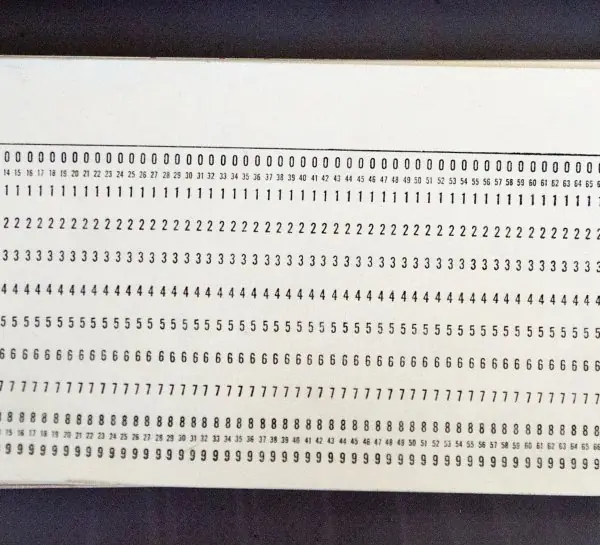
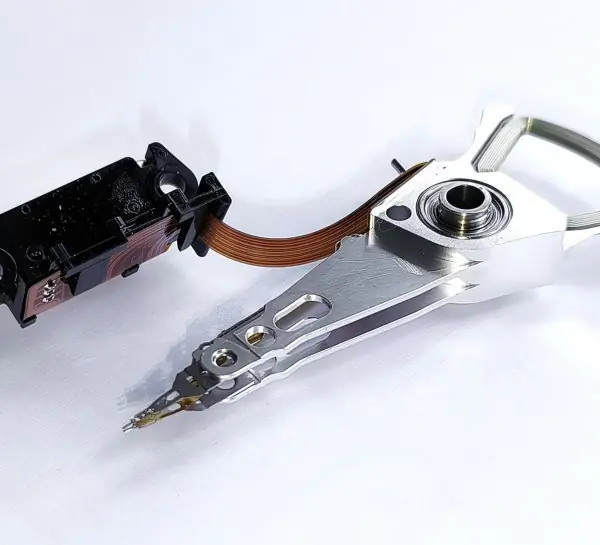
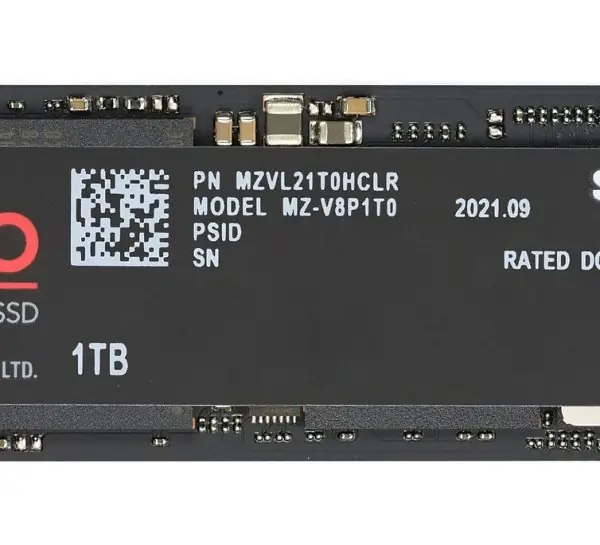
Introduction. Variables live in RAM and disappear when the program ends. A file is a named collection of bytes on permanent storage (Plate 7.1) that keeps data between runs. C accesses a file through a file pointer of type FILE * declared in <stdio.h>.
Steps (Figure 7.2). (1) FILE *fp = fopen("students.dat", "wb"); opens the file. (2) Test if (fp == NULL), because the file may not exist or the disk may be full. (3) Read or write. (4) fclose(fp); writes any buffered data and releases the file.
Opening modes.
| Mode | Meaning |
|---|---|
"r" |
read; file must exist |
"w" |
write; creates the file or erases old contents |
"a" |
append at the end; creates if missing |
"r+", "w+", "a+" |
read and write |
add b ("rb", "wb") |
binary mode |
Main functions. Character: fgetc, fputc. String: fgets, fputs. Formatted text: fscanf, fprintf. Binary blocks: fread(ptr, size, count, fp) and fwrite(ptr, size, count, fp).
Position: fseek(fp, offset, origin) with SEEK_SET, SEEK_CUR or SEEK_END, ftell and rewind. End test: feof(fp).
Program. It writes three records, then jumps straight to the second one with fseek.
#include <stdio.h>
#include <string.h>
struct student { int roll; char name[30]; float marks; };
union val { int i; float f; char c[4]; };
int main(void) {
    struct student s[3] = {{1, "Sita", 82.5f}, {2, "Ram", 74.0f}, {3, "Gita", 91.25f}}, r;
    FILE *fp = fopen("students.dat", "wb");
    if (!fp) return 1;
    fwrite(s, sizeof(struct student), 3, fp);
    fclose(fp);
    fp = fopen("students.dat", "rb");
    if (!fp) return 1;
    fseek(fp, 1 * sizeof(struct student), SEEK_SET);
    fread(&r, sizeof(struct student), 1, fp);
    fclose(fp);
    printf("sizeof student = %zu, sizeof union = %zu\n", sizeof(struct student), sizeof(union val));
    printf("record 2: %d %s %.2f\n", r.roll, r.name, r.marks);
    return 0;
}
sizeof student = 40, sizeof union = 4
record 2: 2 Ram 74.00
The file is 3 × 40 = 120 bytes. Skipping 40 bytes puts the file position at the start of record 2, so no loop is needed; this direct access is the main reason to prefer binary files for fixed-size records.
| Point | Text file | Binary file |
|---|---|---|
| Content | readable characters | raw bytes |
| Functions | fprintf, fscanf, fgets |
fwrite, fread |
| Size | larger | smaller, exact |
| Portability | easy to share | machine dependent |
| Direct access | difficult | easy with fseek |
Conclusion. File handling turns a program into a tool that remembers. Always check the result of fopen, close every file, and be careful with mode "w", which destroys existing data.