Unit 6 · 6 teaching hours · 21 min read
Pointers and Dynamic Memory Allocation
What the syllabus asks for 6
- Addresses, pointers and the two operators
- Pointer arithmetic
- Pointers and strings
- Pointers and functions
- Dynamic memory allocation
- Eight uses of pointers
Every variable lives at an address in memory. A pointer is a variable that stores such an address.
Pointers are the feature that makes C powerful and the feature that makes C dangerous; once they click, arrays, strings, linked lists and file buffers all become the same idea.
&(address-of) and*(dereference); declaring and initialising pointers.- Pointer arithmetic and the array–pointer relationship.
- Pointers and strings, arrays of pointers, pointer to pointer.
- Pointers as function arguments and returned from functions.
malloc,calloc,realloc,free, and the bugs they invite.
6.1 Addresses, pointers and the two operators
#include <stdio.h>

int main(void)
{
    int x = 10;
    int *p = &x;
    printf("x=%d *p=%d\n", x, *p);
    *p = 25;
    printf("x=%d\n", x);
    int **pp = &p;
    **pp += 5;
    printf("x=%d, p points to x: %d, pp points to p: %d\n", x, p == &x, pp == &p);
    printf("sizeof(p)=%zu sizeof(int)=%zu\n", sizeof(p), sizeof(int));
    return 0;
}
x=10 *p=10
x=25
x=30, p points to x: 1, pp points to p: 1
sizeof(p)=8 sizeof(int)=4
int *p;declarespas "pointer to int".&xis the address ofx.*p(dereference) is the objectppoints to, usable on both sides of=.- A pointer holds an address (8 bytes on a 64-bit system, whatever it points to; 2 bytes in 16-bit Turbo C near pointers).
int **ppis a pointer to pointer (chain of pointers):**ppisx.- An uninitialised pointer holds garbage; dereferencing it crashes. Set unused pointers to
NULL(address 0) and test before use. DereferencingNULLis undefined (a segmentation fault in practice). void *is a generic pointer: it can hold any address but must be cast before dereferencing.
Advantages: efficient array and string handling, functions that modify caller data, dynamic memory, data structures. Disadvantages: easy to misuse (dangling, wild, NULL pointers), hard-to-find bugs, security holes.

Boxes, addresses and the contents of a box
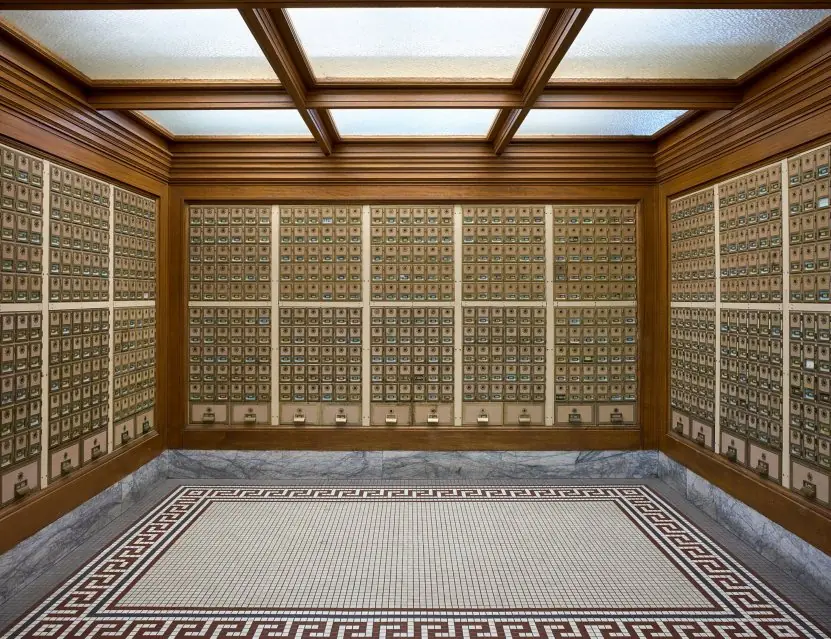
A post-office box has two things: its number and the letters inside. A variable is the same: it has an address (the box number) and a value (the letters). A pointer is simply a box whose letter is another box's number.
Plate 6.1 shows x = 42 changed through two levels of pointer: **pp = 7 follows pp to q, follows q to x, and writes 7 there.
The addresses in the drawing are example numbers; on a 64-bit machine every pointer takes 8 bytes (the real run printed sizeof q = 8).

6.2 Pointer arithmetic
Adding k to a pointer moves it by k elements, not k bytes: p + k is the address p + k × sizeof(*p). Subtracting two pointers into the same array gives the number of elements between them. Allowed: p + n, p − n, p++, p − q, comparisons.
Not allowed: adding two pointers, multiplying or dividing a pointer.
For int a[5] with 4-byte int and a at address 2000: a + 1 is 2004, a + 3 is 2012, and *(a + 3) is a[3].
Arrays and pointers. In most expressions an array name is the address of its first element, so a[i] is defined as *(a + i). That is why i[a] also compiles.
Differences: an array name is not a variable (you cannot do a++ or a = p), and sizeof(a) gives the whole array while sizeof(p) gives only a pointer.
#include <stdio.h>

int main(void)
{
    int a[5] = {10, 20, 30, 40, 50};
    int *p = a;
    printf("%d %d %d\n", *p, *(p + 2), p[4]);
    p += 3;
    printf("%d offset=%ld\n", *p, (long)(p - a));
    p--;
    printf("%d\n", *p);
    int sum = 0;
    for (int *q = a; q < a + 5; q++)
        sum += *q;
    printf("sum=%d\n", sum);
    printf("*a+1=%d  *(a+1)=%d\n", *a + 1, *(a + 1));
    return 0;
}
10 30 50
40 offset=3
30
sum=150
*a+1=11  *(a+1)=20
After p += 3, p points at a[3], so *p is 40 and p - a is 3; p-- steps back to a[2]. Note that *a + 1 is (*a) + 1 because unary * binds tighter than +. Do not put *p and *--p in the same call: C does not say which argument is evaluated first.
Why p + 1 moves by more than one byte
Adding 1 to a pointer does not add 1 to the address: it moves to the next element of the type pointed at. So p + 1 is 1 byte further for a char, 2 for a short, 4 for an int and 8 for a double; p + 3 over int is 12 bytes.
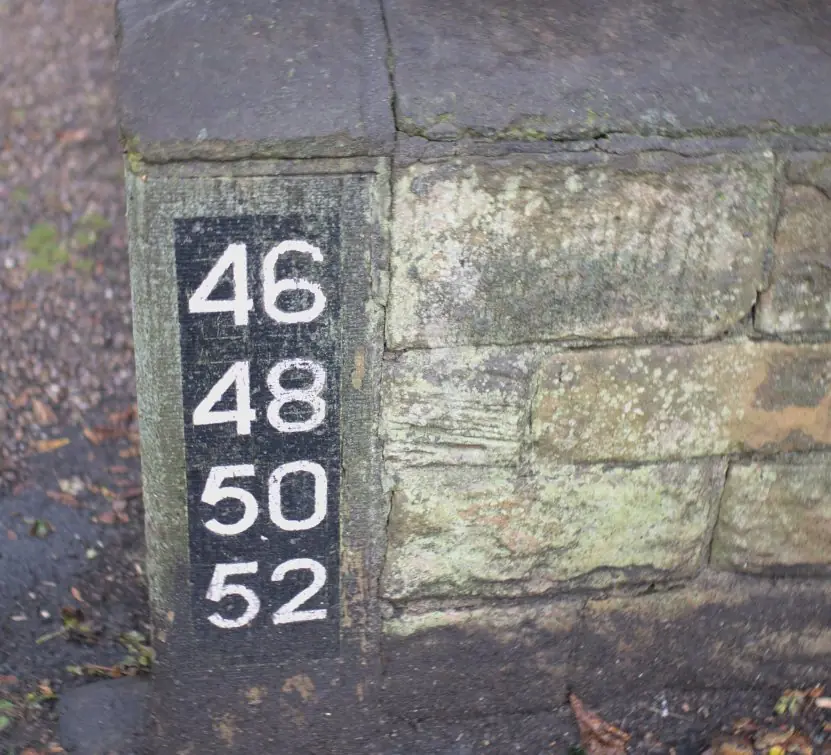
This is exactly how a house-number sign works: along a street where one side carries the even numbers 46, 48, 50, 52 the step is 2, and the next house is found by adding the step, not by adding 1.
Plate 6.2 measures the four steps in a real run and shows pointer subtraction counting elements.

6.3 Pointers and strings
A string can be handled through a char *. Two different things look similar:
char s[] = "Nepal";is an array holding a copy of the text; you may modify it.char *p = "Nepal";points to a string literal in read-only memory; modifying it is undefined.
#include <stdio.h>

int length(const char *s)
{
    const char *start = s;
    while (*s)
        s++;
    return (int)(s - start);
}

void copy(char *dst, const char *src)
{
    while ((*dst++ = *src++))
        ;
}

int main(void)
{
    char a[20];
    copy(a, "Pokhara");
    printf("%s has %d letters\n", a, length(a));
    const char *cities[] = {"Kathmandu", "Pokhara", "Biratnagar"};
    for (int i = 0; i < 3; i++)
        printf("%s(%d) ", cities[i], length(cities[i]));
    printf("\n%c %c\n", cities[1][0], *(*(cities + 2) + 3));
    return 0;
}
Pokhara has 7 letters
Kathmandu(9) Pokhara(7) Biratnagar(10)
P a
cities is an array of pointers to strings: each element points to its own literal, so the strings need not be the same length (unlike a 2-D char array, which wastes space). *(*(cities + 2) + 3) is the 4th character of the 3rd string: a in "Biratnagar" (B-i-r-a).
copy shows the idiom while ((*dst++ = *src++));: copy a character, advance both, and stop after copying '\0' (value 0 = false).
Walking a string with a pointer
A string literal such as "NEPAL" is a row of characters ending in a zero byte, and char *s holds the address of its first letter.
Moving the pointer with p++ visits one letter at a time and the loop while (*p) stops when it meets the zero.
A signpost does the same job: it does not hold the place, it points at it, and following it with * gives the thing at the destination. Plate 6.3 walks the pointer over "NEPAL" and recovers its length, 5, without calling strlen.


6.4 Pointers and functions
- Pointer parameters let a function modify the caller's data (Unit 5's
swap) and return several results. - Passing arrays:
void f(int *a, int n)andvoid f(int a[], int n)are identical. constdocuments and enforces read-only access:const char *smeans "I will not change the characters".- Returning a pointer: legal, but never return the address of a local variable; it dies when the function returns (a dangling pointer). Return a pointer to
staticstorage, to memory frommalloc, or to something the caller owns. - Function pointers (
int (*op)(int, int)) let you choose a function at run time; they power callbacks likeqsort.
6.5 Dynamic memory allocation
Local variables live on the stack and vanish at block exit; array sizes must be known at compile time. Dynamic allocation takes memory from the heap at run time, in an amount you choose, and keeps it until you release it. Header: <stdlib.h>.
| Function | Effect |
|---|---|
malloc(bytes) |
allocates bytes uninitialised bytes; returns NULL on failure |
calloc(n, size) |
allocates n × size bytes zeroed |
realloc(p, newbytes) |
resizes a block, possibly moving it; may return NULL (then the old block is still valid) |
free(p) |
returns the block to the heap |
#include <stdio.h>
#include <stdlib.h>

int main(void)
{
    int n = 5;
    int *a = malloc(n * sizeof *a);
    if (a == NULL) {
        printf("out of memory\n");
        return 1;
    }
    for (int i = 0; i < n; i++)
        a[i] = (i + 1) * (i + 1);
    int *tmp = realloc(a, 8 * sizeof *a);
    if (tmp == NULL) {
        free(a);
        return 1;
    }
    a = tmp;
    for (int i = n; i < 8; i++)
        a[i] = 0;
    for (int i = 0; i < 8; i++)
        printf("%d ", a[i]);
    printf("\n");
    free(a);
    a = NULL;

    int *z = calloc(4, sizeof(int));
    printf("calloc: %d %d %d %d\n", z[0], z[1], z[2], z[3]);
    free(z);
    return 0;
}
1 4 9 16 25 0 0 0
calloc: 0 0 0 0
malloc(n * sizeof *a) is the safest spelling: it stays correct if the type of a changes. Do not cast the result of malloc in C. Always check for NULL.
The bugs — memorise the list, examiners ask for it:
| Bug | Meaning |
|---|---|
| Memory leak | allocated, never freed; a long-running program slowly eats RAM |
| Dangling pointer | using a pointer after free or after its variable died |
| Double free | calling free twice on the same block |
| Buffer overflow | writing beyond the allocated size |
| Use of uninitialised pointer | wild pointer; set pointers to NULL |
| Freeing non-heap memory | free(&x) or free(p + 1) |
Rule: every malloc has exactly one free; set the pointer to NULL afterwards. A 2-D array can be made by allocating an array of row pointers and then each row.

Memory you ask for: how much, and how often
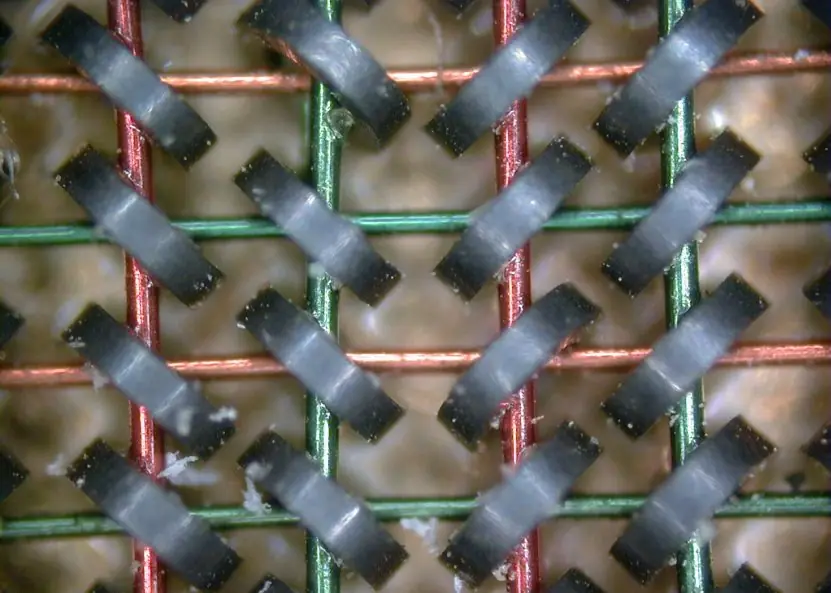
The old magnetic-core memory is a good picture of a heap: each tiny ring remembers one bit and is reached by two wires, which is an address. malloc hands out a block of such bytes at run time (10 * sizeof(int) is 40 bytes), calloc also sets them to zero, and free gives them back.
The strategy for growing an array matters. Making room for one more element each time forces a realloc on almost every append; doubling the capacity needs far fewer. Plate 6.4 counts both in a real run that appends 1,000 integers.

6.6 Eight uses of pointers
- Changing the caller's variables. A function that receives
int *pcan change the original variable, which is howscanf("%d", &n)stores a value in n. Without pointers a function could return only one value. Pointers let one function give back several results. - Passing arrays and large data cheaply. The name of an array is the address of its first element, so passing it copies no data. A function that sorts 10,000 marks works on the original array. This saves both time and memory.
- Dynamic memory. With
malloca program asks for exactly as much memory as it needs at run time, for example one record for each student actually enrolled. When the work is finishedfreereturns the memory. The size need not be known when the program is written. - Linked data structures. Linked lists, stacks, queues and trees connect nodes with pointers, so insertion and deletion need no shifting of elements. A music playlist or the undo list in an editor is built this way. Each node holds data and the address of the next node.
- Strings. A
char *walks along a string until'\0', and many library functions are written with pointers.char *names[3]stores several names without wasting space. Pointer loops are short and fast. - Function pointers and callbacks. A pointer can hold the address of a function, so a program can choose at run time which function to call. The library function
qsortis given a comparison function in this way. Menus and event handlers use the same idea. - Hardware and system access. Embedded programs write to fixed memory addresses to control ports, LEDs and sensors. A pointer to such an address lets C talk directly to a device. This is why C is used for drivers and microcontrollers.
- Returning and sharing structures. Passing a pointer to a
structavoids copying all its members and lets many functions share one record. The arrow operatorp->namereaches a member. Care is needed, because a pointer to a local variable becomes invalid when the function ends.
Formula and fact sheet
&xaddress of x;*pobject at p;p == &xmeans p points to x.p + kmoves k elements;a[i] ≡ *(a + i);p - qcounts elements.- Pointer size is the same for every pointer type (8 bytes on 64-bit).
char s[] = "…"copy, modifiable;char *p = "…"literal, read-only.- Never return a pointer to a local.
malloc/calloc/realloc→ checkNULL→freeonce.
Chapter summary
- A pointer is an address with a type;
*follows it,&makes it. - Array indexing is pointer arithmetic in disguise.
- Strings are
charsequences handled by pointer; arrays of pointers store ragged lists. - The heap gives size flexibility at the price of discipline: allocate, check, use, free.
Practice
A. Short questions
- Differentiate
*pin a declaration and*pin an expression. - If
int a[] = {5, 10, 15}andint *p = a;, what are*p,*(p+1),p[2],*p + 1? - What is a dangling pointer? Give an example.
- Differentiate
mallocandcalloc. Why must the result be checked? - State three differences between an array name and a pointer variable.
- What is wrong with
char *s = "abc"; s[0] = 'x';?
B. Predict
int x = 4, y = 9; int *p = &x, *q = &y; *p = *q; *q = 1; printf("%d %d", x, y);int a[4] = {1,2,3,4}; int *p = a + 3; printf("%d %ld", *p, p - a);
C. Programs
- Write
void reverse(char *s)that reverses a string in place using two pointers. - Read n, allocate an array dynamically, read n numbers, print the largest, free the memory.
- Write a function that returns a pointer to the largest element of an array (return
NULLfor n = 0). - Find and fix:
int *f(void){ int v = 3; return &v; }
Answers and worked solutions
1. In a declaration * says "p is a pointer"; in an expression * is the dereference operator giving the pointed-to object.
2. 5, 10, 15, 6.
3. A pointer holding the address of memory that no longer belongs to the program, e.g. free(p); followed by *p, or a pointer to a local variable returned from a function.
4. malloc leaves memory uninitialised; calloc zeroes it and takes a count and a size. Both return NULL on failure; using that result crashes.
5. An array name is a constant address (no a++, no a = p); sizeof(a) is the whole array, sizeof(p) is the pointer; the array owns its storage while the pointer only refers to storage.
6. The literal is in read-only memory; modifying it is undefined (usually a crash). Use char s[] = "abc";.
7. x becomes 9, then y becomes 1: output 9 1.
8. 4 3.
9. void reverse(char *s){ char *e = s; while (*e) e++; e--; while (s < e){ char t = *s; *s++ = *e; *e-- = t; } }
10. int *a = malloc(n * sizeof *a); … int max = a[0]; for (i = 1; i < n; i++) if (a[i] > max) max = a[i]; printf("%d", max); free(a);
11. int *largest(int *a, int n){ if (n == 0) return NULL; int *m = a; for (int i = 1; i < n; i++) if (a[i] > *m) m = &a[i]; return m; }
12. v dies when f returns. Make it static int v = 3;, or allocate with malloc, or have the caller pass the address to fill.
Model answers: medium (5 marks) and long (10 marks) questions
Q (5 marks). Explain malloc, calloc, realloc and free with syntax and an example. What is a memory leak?
Memory for ordinary variables is fixed when the program is compiled. Dynamic memory allocation lets a program take memory from the heap while it runs, using the functions of <stdlib.h> (Figure 6.2).
malloc(size)reservessizebytes and returns the address asvoid *(orNULLif no memory is free). The memory is not cleared. Example:int *d = malloc(3 * sizeof(int));calloc(n, size)reserves n blocks ofsizebytes and sets them all to 0. Example:int *c = calloc(5, sizeof(int));realloc(ptr, newsize)changes the size of an earlier block, keeping the old contents (it may move the block). Example:d = realloc(d, 5 * sizeof(int));free(ptr)returns the block to the heap. Afterfree(d)setd = NULL, because using a freed pointer is an error.
A memory leak happens when a program loses the address of a block (or forgets free) so the block can never be reused. A server that leaks a few bytes per request can in time use all memory and crash.
Always check for NULL, free exactly once, and never use memory after freeing it.
Q (10 marks). What is a pointer? Explain declaration, initialisation, the operators & and *, pointer arithmetic and the relation between arrays and pointers. Write a program to illustrate them.
Introduction. A pointer is a variable that stores the address of another variable. Every byte of memory has an address, and a pointer lets a program reach a variable, an array element, a function or a block of heap memory by that address (Figure 6.1).
Declaration and initialisation. int *p; declares p as a pointer to int. p = &x; stores the address of x in p. An unused pointer should be set to NULL, because an uninitialised (wild) pointer points to a random place and can crash the program.
The two operators. & is the address-of operator: &x is the address of x (for example 2000). * is the indirection (dereference) operator: *p is the value at the address stored in p. After p = &x;, the statement *p = *p + 5; changes x itself.
Pointer arithmetic. Adding n to a pointer moves it by n elements, not n bytes: q + 1 is the address of the next int, 4 bytes ahead.
Valid operations are p++, p--, p + n, p - n and the subtraction of two pointers into the same array (which gives the number of elements between them). Two pointers cannot be added or multiplied.
Arrays and pointers. The name of an array is the address of its first element, so a is the same as &a[0], *(a + i) is the same as a[i], and *(a + 2) is a[2]. The difference is that an array name is fixed, while a pointer variable can be changed.
Program.
#include <stdio.h>
#include <stdlib.h>
int main(void) {
    int x = 25, *p = &x, a[4] = {10, 20, 30, 40}, *q = a, i, *d;
    *p = *p + 5;
    printf("x=%d *p=%d\n", x, *p);
    printf("%d %d %d\n", *q, *(q + 2), *(a + 3));
    q++;
    printf("after q++: %d, distance a[3]-a[0] = %d elements\n", *q, (int)(&a[3] - &a[0]));
    d = (int *)malloc(3 * sizeof(int));
    if (d == NULL) return 1;
    for (i = 0; i < 3; i++) d[i] = (i + 1) * 100;
    d = (int *)realloc(d, 5 * sizeof(int));
    d[3] = 400; d[4] = 500;
    for (i = 0; i < 5; i++) printf("%d ", d[i]);
    printf("\n");
    free(d);
    return 0;
}
x=30 *p=30
10 30 40
after q++: 20, distance a[3]-a[0] = 3 elements
100 200 300 400 500
| Expression | Meaning |
|---|---|
p |
address stored in p (2000) |
*p |
value of x (30 after the change) |
&p |
address of p itself (3000) |
q + 2 |
address of a[2] |
*(q + 2) |
value of a[2] = 30 |
Conclusion. Pointers give C its power: they let functions change data, arrays pass cheaply, memory be taken at run time, and lists and trees be built. They are also the main source of bugs, so initialise every pointer, stay inside the array, and free what you allocate.