Unit 5 · 6 teaching hours · 18 min read
File Handling and Exception Handling
What the syllabus asks for 5
- Text files
- CSV and JSON
- Errors and exceptions
- Handling exceptions
- Seeing the ideas: records, safety switches and what really happens
Variables vanish when a program ends; files persist. And real programs meet trouble: a file that is missing, a number that is not a number, a network that is down.
This unit shows how to store and retrieve data in text, CSV and JSON files, and how to handle errors so that a program fails gracefully instead of crashing.
- Opening, reading, writing and appending files; the
withstatement; paths withpathlib. - CSV and JSON files.
- Exceptions:
try/except/else/finally, raising, custom exceptions,assert.
All programs below write into a temporary working directory, so you can run them safely.
5.1 Text files
open(name, mode, encoding=…) returns a file object. Modes: "r" read (default), "w" write (truncates), "a" append, "x" create (fails if it exists), with "b" for binary and "+" for read/write.
Always use with: it closes the file automatically, even if an error occurs. Always pass encoding="utf-8" for text.
with open("notes.txt", "w", encoding="utf-8") as f:
    f.write("BCA semester 4\n")
    f.writelines(["Operating Systems\n", "Numerical Methods\n"])
    print("Python Programming", file=f)

with open("notes.txt", "a", encoding="utf-8") as f:
    f.write("Web Technology II\n")

with open("notes.txt", encoding="utf-8") as f:
    print(repr(f.readline()))
    print([line.strip() for line in f][:2])

with open("notes.txt", encoding="utf-8") as f:
    content = f.read()
print(len(content), content.count("\n"), f.closed)
'BCA semester 4\n'
['Operating Systems', 'Numerical Methods']
88 5 True
| Method | Returns |
|---|---|
read(n) |
up to n characters (all if omitted) |
readline() |
next line including \n |
readlines() |
list of all lines |
for line in f |
lines lazily (best for big files) |
write(s), writelines(seq) |
writes text; no newline is added |
seek(pos), tell() |
move/report the position |
Iterate over the file object rather than calling readlines() on huge files: it holds only one line in memory.
with open("data.txt", "w") as f:
    f.write("12\n7\n x \n30\n")
total, bad = 0, 0
with open("data.txt") as f:
    for lineno, line in enumerate(f, start=1):
        try:
            total += int(line)
        except ValueError:
            bad += 1
            print(f"line {lineno}: skipped {line.strip()!r}")
print("total", total, "bad lines", bad)
line 3: skipped 'x'
total 49 bad lines 1
Paths with pathlib
from pathlib import Path
p = Path("reports") / "2026" / "marks.txt"
p.parent.mkdir(parents=True, exist_ok=True)
p.write_text("Ram 80\nSita 92\n", encoding="utf-8")
print(p, p.suffix, p.stem, p.exists(), p.stat().st_size)
print(p.read_text(encoding="utf-8").splitlines())
print(sorted(x.name for x in Path("reports").rglob("*")))
p.unlink()
reports/2026/marks.txt .txt marks True 15
['Ram 80', 'Sita 92']
['2026', 'marks.txt']
Path objects replace string slicing of paths and work on every operating system. os.rename, os.remove (or Path.rename, Path.unlink), shutil.copy handle renaming, deleting and copying.
Binary files
open(name, "rb") and "wb" read and write bytes, used for images, PDFs and executables.
data = bytes([72, 101, 108, 108, 111, 0, 255])
with open("blob.bin", "wb") as f:
    f.write(data)
with open("blob.bin", "rb") as f:
    back = f.read()
print(back, list(back), back == data, len(back))
b'Hello\x00\xff' [72, 101, 108, 108, 111, 0, 255] True 7
5.2 CSV and JSON
CSV (comma-separated values) is the lingua franca of spreadsheets; JSON is the lingua franca of web APIs. The csv and json modules handle quoting and types correctly.
import csv
rows = [["roll", "name", "marks"], [1, "Ram", 78], [2, "Sita, K.", 91], [3, "Hari", 64]]
with open("class.csv", "w", newline="", encoding="utf-8") as f:
    csv.writer(f).writerows(rows)
print(open("class.csv", encoding="utf-8").read())
with open("class.csv", newline="", encoding="utf-8") as f:
    records = list(csv.DictReader(f))
print(records[1])
print(sum(int(r["marks"]) for r in records) / len(records))
roll,name,marks
1,Ram,78
2,"Sita, K.",91
3,Hari,64

{'roll': '2', 'name': 'Sita, K.', 'marks': '91'}
77.66666666666667
Note that the comma inside "Sita, K." was quoted automatically, and that everything read back is a string: convert numbers yourself.
import json
student = {"name": "Sita", "marks": [88, 92], "passed": True, "address": None}
text = json.dumps(student, indent=2)
print(text)
back = json.loads(text)
print(back == student, back["marks"][1])
with open("student.json", "w", encoding="utf-8") as f:
    json.dump(student, f)
print(json.load(open("student.json", encoding="utf-8"))["name"])
print(json.dumps({"tuple": (1, 2), "pi": 3.14}), json.loads('{"a": [1, 2, {"b": null}]}'))
{
  "name": "Sita",
  "marks": [
    88,
    92
  ],
  "passed": true,
  "address": null
}
True 92
Sita
{"tuple": [1, 2], "pi": 3.14} {'a': [1, 2, {'b': None}]}
JSON maps dict↔object, list/tuple↔array, str, int/float, True/False↔true/false, None↔null. Sets and custom classes are not serialisable without help.
5.3 Errors and exceptions
Two kinds of error exist: syntax errors (found before the program runs) and exceptions (raised while it runs). An uncaught exception prints a traceback and ends the program.
# raises
def average(values):
    return sum(values) / len(values)

print(average([4, 6]))
print(average([]))
5.0
Traceback (most recent call last):
  File "p.py", line 6, in <module>
    print(average([]))
          ^^^^^^^^^^^
  File "p.py", line 3, in average
    return sum(values) / len(values)
           ~~~~~~~~~~~~^~~~~~~~~~~~~
ZeroDivisionError: division by zero
Read a traceback from the bottom: the last line names the exception and its message; the lines above show the chain of calls that led to it.
| Exception | Typical cause |
|---|---|
ZeroDivisionError |
1 / 0 |
ValueError |
right type, wrong value: int("abc") |
TypeError |
wrong type: "a" + 1 |
IndexError, KeyError |
bad list index, missing dict key |
FileNotFoundError (an OSError) |
opening a missing file |
AttributeError, NameError |
missing attribute, undefined name |
ImportError, StopIteration, RecursionError |
and many more |
5.4 Handling exceptions
def safe_divide(a, b):
    try:
        result = a / b
    except ZeroDivisionError:
        print("cannot divide by zero")
        return None
    except TypeError as e:
        print("bad operand types:", e)
        return None
    else:
        print("division succeeded")
        return result
    finally:
        print("(finally always runs)")

print(safe_divide(10, 4))
print(safe_divide(1, 0))
print(safe_divide("1", 2))
division succeeded
(finally always runs)
2.5
cannot divide by zero
(finally always runs)
None
bad operand types: unsupported operand type(s) for /: 'str' and 'int'
(finally always runs)
None
try: the code that might fail.except Type as e: handles that type (and subclasses); severalexceptclauses are tried in order;except (A, B)handles either. Catch the most specific exception you can; a bareexcept:hides bugs.else: runs only if thetryraised nothing.finally: always runs, for cleanup (closing connections, releasing locks).
def read_marks(name):
    try:
        with open(name, encoding="utf-8") as f:
            return [int(x) for x in f.read().split()]
    except FileNotFoundError:
        return []
    except ValueError as e:
        raise ValueError(f"{name} contains a non-number") from e

print(read_marks("missing.txt"))
open("m.txt", "w").write("50 60 seventy")
try:
    read_marks("m.txt")
except ValueError as e:
    print("caught:", e, "| cause:", repr(e.__cause__))
[]
caught: m.txt contains a non-number | cause: ValueError("invalid literal for int() with base 10: 'seventy'")
Raising exceptions, custom exceptions, assert
class InsufficientFunds(Exception):
    def __init__(self, balance, needed):
        super().__init__(f"balance {balance} is less than {needed}")
        self.balance, self.needed = balance, needed

def withdraw(balance, amount):
    if amount <= 0:
        raise ValueError("amount must be positive")
    if amount > balance:
        raise InsufficientFunds(balance, amount)
    return balance - amount

for amt in (300, 5000, -5):
    try:
        print("new balance:", withdraw(1000, amt))
    except InsufficientFunds as e:
        print("refused:", e, "- short by", e.needed - e.balance)
    except ValueError as e:
        print("invalid:", e)
new balance: 700
refused: balance 1000 is less than 5000 - short by 4000
invalid: amount must be positive
assert condition, message checks a programmer assumption and raises AssertionError if false; it can be disabled with python -O, so never use it to validate user input.
def sqrt_floor(n):
    assert n >= 0, "n must be non-negative"
    return int(n ** 0.5)

print(sqrt_floor(50))
try:
    sqrt_floor(-1)
except AssertionError as e:
    print("AssertionError:", e)
7
AssertionError: n must be non-negative
EAFP versus LBYL. Python style prefers "Easier to Ask Forgiveness than Permission": try the operation and handle the failure, rather than checking every condition first.
It avoids race conditions (the file may vanish between the check and the open) and is often shorter.
5.5 Seeing the ideas: records, safety switches and what really happens
Files keep data after the program ends, and exceptions keep a program from dying when the outside world misbehaves.
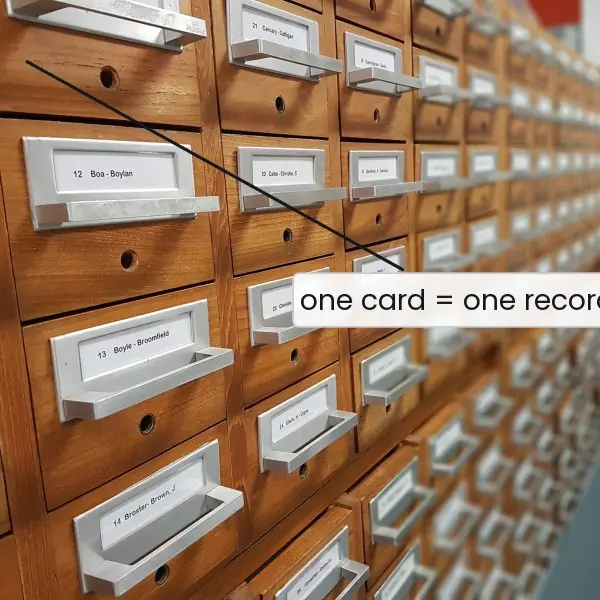
The plate pairs a card index, which is the oldest file system, with the household safety switch that is the model for try and except.
The figures then show what each file mode does to real bytes on disk, the family tree of exceptions, and the exact order of messages in the four endings of a try block.
All three figures are produced by running the code, not drawn by hand.



5.5.1 Eight rules for safe file and error handling
- Always open files with
with. Thewith open(...) as fh:block closes the file even if an error occurs inside it. A forgottenclose()can leave data unwritten in the buffer. In a college result program this means a missing last line in the output file. - State the encoding. Write
open(p, encoding="utf-8"), because the default depends on the computer, and Nepali text in Devanagari may be damaged on another machine. UTF-8 is understood everywhere. Usenewline=""when writing CSV files on Windows. - Check the mode before you open. Mode
"w"silently erases an existing file, as Fig. 5.1 shows. Use"a"to add, or"x"when overwriting would be a mistake. A student who opensmarks.csvwith"w"to read it loses the whole class record. - Use
pathlibfor paths.Path("data") / "marks.csv"works on Windows and Linux without worrying about slashes. It also givesexists(),suffixandread_text(). This avoids path bugs when a program moves from a lab PC to a server. - Catch specific exceptions only. Write
except FileNotFoundError:rather than a bareexcept:, which also hides typing mistakes and Ctrl+C. The specific class tells the reader which problem you expect. The weakness of catching too much is that real bugs become invisible. - Keep the
tryblock small. Put only the line that can fail insidetry, and the rest inelse. Then an error in the other code is not mistaken for the error you handle. It also makes the program easier to read. - Release resources in
finallyand give a clear message. Close sockets, database connections and temporary files infinally, or let awithstatement do it. Tell the user what happened in plain words, such as "marks.csv was not found in the data folder", and not just "Error". Log the full traceback for the developer. - Validate input, and raise your own errors. Check data from users, files and the web before using it, and
raise ValueError("marks must be between 0 and 100")when it is wrong. A custom exception class such asInvalidMarksErrormakes the cause clear to the caller. Do not use exceptions for ordinary decisions that anifcan handle more simply.


Formula and fact sheet
with open(f, "r"/"w"/"a", encoding="utf-8") as fh:; iterate lines withfor line in fh.writeadds no newline;csvandjsonhandle quoting and structure.try / except Type as e / else / finally; most specificexceptfirst.raise Exc("msg"); custom exceptions subclassException.assert cond, msgfor internal assumptions only.
Chapter summary
- Files are opened with
with, read lazily by iteration, and written withwrite;pathlibhandles paths;csvandjsonhandle structured text. - Exceptions separate normal logic from error handling;
try/except/else/finallygive precise control, and custom exceptions make errors meaningful. - Handle only what you can handle; let other exceptions propagate.
Practice
- Write a program that writes five lines to a file, appends one more, and prints the line count.
- Read numbers from a file, skipping lines that are not numbers, and print their total.
- Differentiate
"w","a"and"x"modes. - Why use
with open(...)? - Write a function that converts a string to
int, returningNoneif it is not a number. - What is the order in which
elseandfinallyrun? - Define a custom exception
NegativeMarksand raise it for marks below 0. - Save a list of dictionaries to JSON and read it back.
Answers and worked solutions
1.
with open("five.txt", "w") as f:
    for i in range(1, 6):
        f.write(f"line {i}\n")
with open("five.txt", "a") as f:
    f.write("line 6\n")
print(sum(1 for _ in open("five.txt")))
6
2. See the data.txt program in Section 5.1.
3. "w" creates or empties the file; "a" creates or appends at the end; "x" creates a new file and raises FileExistsError if it already exists.
4. with guarantees the file is closed, even after an exception, so data is flushed and the file handle is not leaked.
5.
def to_int(s):
    try:
        return int(s)
    except ValueError:
        return None
print(to_int("42"), to_int("4.2"), to_int("x"))
42 None None
6. If the try succeeds: try → else → finally. If an exception is handled: try (up to the error) → except → finally. finally always runs last.
7.
class NegativeMarks(Exception):
    pass

def check(m):
    if m < 0:
        raise NegativeMarks(f"marks cannot be negative: {m}")
    return m

try:
    check(-3)
except NegativeMarks as e:
    print(e)
marks cannot be negative: -3
8.
import json
people = [{"name": "Ram", "age": 19}, {"name": "Sita", "age": 20}]
json.dump(people, open("people.json", "w"))
print(json.load(open("people.json")) == people)
True
Model answers (5 and 10 marks)
Q1. Explain the file modes of Python and the with statement. Write a program that writes and reads a text file. (5 marks)
A file stores data permanently on disk. open(path, mode, encoding=...) returns a file object. The common modes are:
| Mode | Meaning | If file is missing | Existing data |
|---|---|---|---|
r |
read (default) | FileNotFoundError |
kept |
w |
write | created | erased |
a |
append | created | kept, new data at the end |
x |
create exclusively | created | FileExistsError if present |
r+ |
read and write | error | kept, overwritten in place |
Adding b (for example rb) gives binary mode, and t (default) gives text. The main methods are read(), readline(), readlines(), write(), writelines(), seek() and tell(). Iterating for line in fh: reads one line at a time and is best for big files.
The with statement is a context manager: it closes the file automatically when the block ends, even after an error (rule 1 of 5.5.1).
import os, tempfile
p = os.path.join(tempfile.mkdtemp(), "marks.txt")
with open(p, "w", encoding="utf-8") as fh:
    fh.write("Ram,72\nSita,88\n")
with open(p, "a", encoding="utf-8") as fh:
    fh.write("Hari,65\n")
with open(p, encoding="utf-8") as fh:
    rows = [line.strip().split(",") for line in fh]
print(rows)
print(sum(int(m) for _, m in rows) / len(rows))
[['Ram', '72'], ['Sita', '88'], ['Hari', '65']]
75.0
Q2. Differentiate between CSV and JSON files and show how Python reads and writes both. (5 marks)
CSV (comma-separated values) stores a flat table: one record per line, fields split by commas, usually with a header row. It opens in a spreadsheet and is compact, but it has no types (everything is text) and no nesting.
JSON (JavaScript Object Notation) stores nested objects, arrays, numbers, strings, booleans and null; it is the usual format for web APIs, such as the data a Fonepay or ConnectIPS style service returns.
| Point | CSV | JSON |
|---|---|---|
| Structure | flat rows and columns | nested, tree-like |
| Types | text only | number, string, bool, null, list, object |
| Python module | csv |
json |
| Read | csv.DictReader, csv.reader |
json.load, json.loads |
| Write | csv.writer, csv.DictWriter |
json.dump, json.dumps |
| Best for | tables, spreadsheets | configuration, web data |
import csv, io, json
rows = [{"name": "Ram", "marks": 72}, {"name": "Sita", "marks": 88}]
buf = io.StringIO()
w = csv.DictWriter(buf, fieldnames=["name", "marks"])
w.writeheader()
w.writerows(rows)
print(buf.getvalue().strip())
back = list(csv.DictReader(io.StringIO(buf.getvalue())))
print(back[0], type(back[0]["marks"]).__name__)
text = json.dumps({"students": rows}, indent=None)
print(text)
print(json.loads(text)["students"][1]["marks"] + 1)
name,marks
Ram,72
Sita,88
{'name': 'Ram', 'marks': '72'} str
{"students": [{"name": "Ram", "marks": 72}, {"name": "Sita", "marks": 88}]}
89
Note that CSV returns the marks as the string '72', while JSON keeps the number 88.
Q3. What is an exception? Explain how Python handles exceptions with try, except, else and finally, how to raise and define exceptions, and compare syntax errors with exceptions. (10 marks)
Introduction. An exception is an error event that occurs while a program runs, such as dividing by zero, opening a missing file or converting "x" to an integer. If nobody handles it, Python stops and prints a traceback.
Exception handling lets the program react and continue, and it separates normal code from error code.
Hierarchy (Fig. 5.2). All exceptions are classes under BaseException; most programs catch classes under Exception, such as ValueError, TypeError, ZeroDivisionError, IndexError, KeyError and OSError (with FileNotFoundError).
An except clause catches the named class and its subclasses.
The four clauses.
try: the code that may fail.except Type as e: runs if that exception occurs; several clauses are tried from the top, so list specific classes before general ones.else: runs only iftryraised nothing.finally: runs always, for clean-up (Fig. 5.3).
Raising and defining. raise ValueError("message") raises an exception; raise alone re-raises the current one; raise X from e chains the cause. A custom exception is a subclass of Exception. assert cond, msg checks a condition during development.
class InvalidMarksError(ValueError):
    pass

def read_marks(text):
    try:
        m = int(text)
    except ValueError:
        raise InvalidMarksError(f"not a number: {text!r}") from None
    else:
        if not 0 <= m <= 100:
            raise InvalidMarksError(f"out of range: {m}")
        return m
    finally:
        print("checked", repr(text))

for t in ("72", "abc", "130"):
    try:
        print("ok", read_marks(t))
    except InvalidMarksError as e:
        print("error:", e)
checked '72'
ok 72
checked 'abc'
error: not a number: 'abc'
checked '130'
error: out of range: 130
Syntax errors versus exceptions.
| Point | Syntax error | Exception |
|---|---|---|
| When found | before the program runs (while compiling) | while the program runs |
| Cause | wrong grammar, such as a missing colon | wrong data or state |
Can try catch it |
no | yes |
| Example | if x == 1 |
10 / 0 |
Good practice: catch specific exceptions, keep the try block short, never use a bare except:, and release resources in finally or with with.
Conclusion. Exception handling makes a program robust: the normal path stays readable, each error is handled by the right clause, and clean-up always runs.