Unit 3 · 9 teaching hours · 41 min read
Database Programming with JDBC
What the syllabus asks for 8
- JDBC architecture
- Statements, PreparedStatements and ResultSets
- SQL injection and why we use PreparedStatement
- Transactions
- Batch updates and metadata
- RowSets: connected and disconnected data
- The DAO pattern and connection pools
- Seeing the ideas: drivers, cursors, transactions and pools
Almost every business application is a front end to a database.
JDBC (Java Database Connectivity) is the standard Java API for talking to relational databases: you send SQL, you read the rows back, and you do it the same way whether the engine is MySQL, PostgreSQL, Oracle or the embedded SQLite used for all the programs in this unit.
Every listing here was compiled and run against a real database through a real JDBC driver (the Xerial SQLite driver, SQLite 3.40); the output shown is what the database returned.
- JDBC architecture, driver types and the connection steps.
Statement,PreparedStatementandCallableStatement;ResultSetand metadata.- Transactions: commit, rollback, isolation; batch updates.
- Disconnected data with
RowSet; the DAO pattern; avoiding SQL injection.
3.1 JDBC architecture
The application uses the interfaces of java.sql (Connection, Statement, ResultSet); the DriverManager (or a DataSource) finds a driver, a library written by the database vendor that implements those interfaces for its own wire protocol.
Changing database means changing the driver and the URL, not the code, as long as the SQL is portable.
| Driver type | Description | Today |
|---|---|---|
| Type 1 | JDBC–ODBC bridge | removed from Java 8 |
| Type 2 | native API: Java calls the vendor's C library | rare |
| Type 3 | network protocol: talks to a middle-tier server | rare |
| Type 4 | pure Java, speaks the database's protocol directly | standard (MySQL Connector/J, PostgreSQL JDBC, Xerial SQLite) |
The steps of a JDBC program
- Load the driver: automatic since JDBC 4 if the driver jar is on the classpath (
Class.forName("org.sqlite.JDBC")is only needed for very old drivers). - Open a connection:
DriverManager.getConnection(url, user, password). URLs:jdbc:mysql://localhost:3306/college,jdbc:postgresql://localhost/college,jdbc:sqlite:college.db,jdbc:sqlite::memory:. - Create a statement from the connection.
- Execute SQL:
executeQuery(SELECT →ResultSet),executeUpdate(INSERT/UPDATE/DELETE/DDL → row count),execute(anything). - Process the results row by row.
- Close result set, statement and connection (use try-with-resources).
3.2 Statements, PreparedStatements and ResultSets
Statement: executes a fixed SQL string. Fine for static SQL, dangerous with user input.PreparedStatement: SQL with?placeholders, precompiled once and executed many times with different parameters set bysetInt(1, …),setString(2, …). It is faster for repeated use, handles quoting and types, and prevents SQL injection.CallableStatement: calls a database stored procedure or function:{call raise_marks(?, ?)}, withregisterOutParameterfor results. (SQLite has no stored procedures, so the syntax is described here but not executed; MySQL and PostgreSQL support it.)ResultSet: a cursor over the result rows.next()moves to the next row (initially before the first) and returns false at the end;getInt("marks")orgetString(1)reads columns by name or by 1-based index;wasNull()tests for SQL NULL. By default aResultSetis forward-only and read-only;TYPE_SCROLL_INSENSITIVEandCONCUR_UPDATABLEallowabsolute(n),previous()andupdateRow()where the driver supports them.ResultSetMetaDatareports the number, names and types of the columns, andDatabaseMetaDatadescribes the database itself (tables, driver version).
import java.sql.*;
public class JdbcBasics {
    public static void main(String[] args) throws SQLException {
        try (Connection con = DriverManager.getConnection("jdbc:sqlite::memory:")) {
            try (Statement st = con.createStatement()) {
                st.executeUpdate("CREATE TABLE student (id INTEGER PRIMARY KEY AUTOINCREMENT, name TEXT NOT NULL, program TEXT, marks INTEGER)");
            }
            String sql = "INSERT INTO student(name, program, marks) VALUES (?, ?, ?)";
            try (PreparedStatement ps = con.prepareStatement(sql, Statement.RETURN_GENERATED_KEYS)) {
                Object[][] rows = {{"Ram", "BCA", 72}, {"Sita", "BCA", 91}, {"Hari", "BBA", 64}, {"Gita", "BCA", 85}};
                for (Object[] r : rows) { ps.setString(1, (String) r[0]); ps.setString(2, (String) r[1]); ps.setInt(3, (Integer) r[2]); ps.executeUpdate(); }
                try (ResultSet keys = ps.getGeneratedKeys()) { keys.next(); System.out.println("last generated id = " + keys.getInt(1)); }
            }
            try (PreparedStatement ps = con.prepareStatement("SELECT id, name, marks FROM student WHERE program = ? AND marks >= ? ORDER BY marks DESC")) {
                ps.setString(1, "BCA"); ps.setInt(2, 80);
                try (ResultSet rs = ps.executeQuery()) {
                    ResultSetMetaData md = rs.getMetaData();
                    System.out.println("columns: " + md.getColumnCount() + " first = " + md.getColumnName(1));
                    while (rs.next()) System.out.println(rs.getInt("id") + " " + rs.getString("name") + " " + rs.getInt("marks"));
                }
            }
            try (Statement st = con.createStatement(); ResultSet rs = st.executeQuery("SELECT program, COUNT(*) AS n, AVG(marks) AS avg FROM student GROUP BY program ORDER BY program")) {
                while (rs.next()) System.out.printf("%s: %d students, average %.2f%n", rs.getString("program"), rs.getInt("n"), rs.getDouble("avg"));
            }
            try (Statement st = con.createStatement()) {
                System.out.println("rows updated: " + st.executeUpdate("UPDATE student SET marks = marks + 5 WHERE marks < 70"));
            }
        }
    }
}
last generated id = 4
columns: 3 first = id
2 Sita 91
4 Gita 85
BBA: 1 students, average 64.00
BCA: 3 students, average 82.67
rows updated: 1
The generated key is that of the last inserted row (4). Placeholders are 1-based. The update row count (1: Hari's 64) comes from executeUpdate.
3.3 SQL injection and why we use PreparedStatement
Building SQL by joining strings lets the user's input become part of the SQL. Suppose the login query is "SELECT * FROM users WHERE name='" + name + "' AND pw='" + pw + "'". Two classic attacks:
- Comment injection: the user types
admin' --as the name and anything as the password. The query becomes... WHERE name='admin' --' AND pw='x'; everything after--is an SQL comment, so the password test disappears and the attacker is logged in as admin. - Tautology injection: typing
' OR '1'='1in both fields givesWHERE name='' OR '1'='1' AND pw='' OR '1'='1', which is true for every row.
(Typing the tautology in the name field only does not work here, because AND binds tighter than OR and the password test '1'='1' AND pw='x' still fails; this is one of the points the program below found when it was run.) A prepared statement sends the SQL and the values separately, so the input is always treated as data.
import java.sql.*;
public class InjectionDemo {
    static int unsafeCount(Statement st, String name, String pw) throws SQLException {
        String q = "SELECT COUNT(*) FROM users WHERE name='" + name + "' AND pw='" + pw + "'";
        try (ResultSet rs = st.executeQuery(q)) { rs.next(); return rs.getInt(1); }
    }
    public static void main(String[] args) throws SQLException {
        try (Connection con = DriverManager.getConnection("jdbc:sqlite::memory:"); Statement st = con.createStatement()) {
            st.executeUpdate("CREATE TABLE users (name TEXT, pw TEXT)");
            st.executeUpdate("INSERT INTO users VALUES ('admin', 's3cret'), ('ram', 'pass')");
            System.out.println("wrong password, honest input    : " + unsafeCount(st, "admin", "x") + " rows");
            System.out.println("comment injection  admin' --     : " + unsafeCount(st, "admin' --", "x") + " rows");
            System.out.println("tautology in name only          : " + unsafeCount(st, "' OR '1'='1", "x") + " rows");
            System.out.println("tautology in both fields        : " + unsafeCount(st, "' OR '1'='1", "' OR '1'='1") + " rows");
            try (PreparedStatement ps = con.prepareStatement("SELECT COUNT(*) FROM users WHERE name = ? AND pw = ?")) {
                for (String[] in : new String[][]{{"admin' --", "x"}, {"' OR '1'='1", "' OR '1'='1"}}) {
                    ps.setString(1, in[0]); ps.setString(2, in[1]);
                    try (ResultSet rs = ps.executeQuery()) { rs.next(); System.out.println("prepared statement, input " + in[0] + " : " + rs.getInt(1) + " rows"); }
                }
            }
        }
    }
}
wrong password, honest input    : 0 rows
comment injection  admin' --     : 1 rows
tautology in name only          : 0 rows
tautology in both fields        : 2 rows
prepared statement, input admin' -- : 0 rows
prepared statement, input ' OR '1'='1 : 0 rows
With string concatenation the comment injection returns 1 row (the admin account, without its password) and the double tautology returns both rows; the prepared statement matches none.
Also store password hashes (bcrypt, Argon2), never plaintext as in this teaching table.
3.4 Transactions
A transaction is a group of statements that must succeed or fail as a unit (ACID: atomicity, consistency, isolation, durability). A bank transfer subtracts from one account and adds to another; if only the first happens, money vanishes.
By default JDBC runs in auto-commit mode (each statement is its own transaction).
For a multi-statement transaction: con.setAutoCommit(false), run the statements, then con.commit(), or con.rollback() in a catch block; restore auto-commit afterwards.
import java.sql.*;
public class TransactionDemo {
    static void transfer(Connection con, int from, int to, int amount) throws SQLException {
        con.setAutoCommit(false);
        try (PreparedStatement debit = con.prepareStatement("UPDATE account SET balance = balance - ? WHERE id = ?");
             PreparedStatement credit = con.prepareStatement("UPDATE account SET balance = balance + ? WHERE id = ?")) {
            debit.setInt(1, amount); debit.setInt(2, from); debit.executeUpdate();
            credit.setInt(1, amount); credit.setInt(2, to); credit.executeUpdate();
            try (Statement chk = con.createStatement(); ResultSet rs = chk.executeQuery("SELECT balance FROM account WHERE id = " + from)) {
                rs.next(); if (rs.getInt(1) < 0) throw new SQLException("insufficient funds");
            }
            con.commit(); System.out.println("transfer of " + amount + " committed");
        } catch (SQLException ex) {
            con.rollback(); System.out.println("transfer of " + amount + " rolled back: " + ex.getMessage());
        } finally { con.setAutoCommit(true); }
    }
    static void show(Connection con) throws SQLException {
        try (Statement st = con.createStatement(); ResultSet rs = st.executeQuery("SELECT id, balance FROM account ORDER BY id")) {
            StringBuilder sb = new StringBuilder("balances:");
            while (rs.next()) sb.append(" [").append(rs.getInt(1)).append("]=").append(rs.getInt(2));
            System.out.println(sb);
        }
    }
    public static void main(String[] args) throws SQLException {
        try (Connection con = DriverManager.getConnection("jdbc:sqlite::memory:"); Statement st = con.createStatement()) {
            st.executeUpdate("CREATE TABLE account (id INTEGER PRIMARY KEY, balance INTEGER NOT NULL)");
            st.executeUpdate("INSERT INTO account VALUES (1, 500), (2, 300)");
            show(con); transfer(con, 1, 2, 200); show(con); transfer(con, 1, 2, 400); show(con);
        }
    }
}
balances: [1]=500 [2]=300
transfer of 200 committed
balances: [1]=300 [2]=500
transfer of 400 rolled back: insufficient funds
balances: [1]=300 [2]=500
The first transfer leaves 300 and 500; the second would overdraw account 1 (300 − 400 < 0), so the exception triggers rollback() and the balances are unchanged.
Isolation levels (con.setTransactionIsolation(...)): READ UNCOMMITTED, READ COMMITTED, REPEATABLE READ, SERIALIZABLE, in increasing protection against dirty reads, non-repeatable reads and phantom reads and increasing cost.
Savepoints (con.setSavepoint(), rollback(savepoint)) allow partial rollback where the driver supports them.
3.5 Batch updates and metadata
Sending 1,000 inserts one by one costs 1,000 round trips; batching queues them with addBatch() and sends them together with executeBatch(), which returns an int[] of update counts. Combine batching with a transaction for speed.
import java.sql.*;
public class BatchDemo {
    public static void main(String[] args) throws SQLException {
        try (Connection con = DriverManager.getConnection("jdbc:sqlite::memory:")) {
            con.createStatement().executeUpdate("CREATE TABLE sq (n INTEGER PRIMARY KEY, square INTEGER)");
            con.setAutoCommit(false);
            try (PreparedStatement ps = con.prepareStatement("INSERT INTO sq VALUES (?, ?)")) {
                for (int i = 1; i <= 1000; i++) { ps.setInt(1, i); ps.setInt(2, i * i); ps.addBatch(); }
                int[] counts = ps.executeBatch();
                int total = 0; for (int c : counts) total += c;
                System.out.println("batch statements: " + counts.length + ", rows affected: " + total);
            }
            con.commit();
            try (ResultSet rs = con.createStatement().executeQuery("SELECT COUNT(*), SUM(square), MAX(square) FROM sq")) {
                rs.next(); System.out.println("count=" + rs.getInt(1) + " sum=" + rs.getLong(2) + " max=" + rs.getInt(3));
            }
            DatabaseMetaData dm = con.getMetaData();
            System.out.println("product: " + dm.getDatabaseProductName() + ", driver: " + dm.getDriverName());
            try (ResultSet t = dm.getTables(null, null, "sq", null)) { while (t.next()) System.out.println("table found: " + t.getString("TABLE_NAME")); }
        }
    }
}
batch statements: 1000, rows affected: 1000
count=1000 sum=333833500 max=1000000
product: SQLite, driver: SQLite JDBC
table found: sq
The sum of the squares 1² + … + 1000² is 1000 × 1001 × 2001 / 6 = 333,833,500, matching the database's answer.
3.6 RowSets: connected and disconnected data
A RowSet (package javax.sql.rowset) is a JavaBean-style ResultSet that can be disconnected.
A CachedRowSet copies the rows into memory, so the connection can be closed and the data can still be scrolled, edited and later written back with acceptChanges(connection); it is ideal for a GUI table or for passing data between layers.
Other kinds: JdbcRowSet (connected, scrollable and updatable wrapper), WebRowSet (serialises to XML), FilteredRowSet (applies a filter) and JoinRowSet (joins in memory).
import java.sql.*;
import javax.sql.rowset.*;
public class RowSetDemo {
    public static void main(String[] args) throws SQLException {
        CachedRowSet crs = RowSetProvider.newFactory().createCachedRowSet();
        try (Connection con = DriverManager.getConnection("jdbc:sqlite::memory:"); Statement st = con.createStatement()) {
            st.executeUpdate("CREATE TABLE city (name TEXT, population INTEGER)");
            st.executeUpdate("INSERT INTO city VALUES ('Kathmandu', 1000000), ('Pokhara', 520000), ('Biratnagar', 240000)");
            try (ResultSet rs = st.executeQuery("SELECT name, population FROM city ORDER BY population DESC")) { crs.populate(rs); }
        }
        System.out.println("connection closed; rows cached: " + crs.size());
        crs.beforeFirst();
        while (crs.next()) System.out.println(crs.getString("name") + " " + crs.getInt("population"));
        crs.absolute(2); System.out.println("row 2 = " + crs.getString(1));
        crs.last(); System.out.println("last row = " + crs.getString(1) + ", row number " + crs.getRow());
        crs.previous(); System.out.println("previous = " + crs.getString(1));
    }
}
connection closed; rows cached: 3
Kathmandu 1000000
Pokhara 520000
Biratnagar 240000
row 2 = Pokhara
last row = Biratnagar, row number 3
previous = Pokhara
The rows can be scrolled in both directions after the connection is closed. (Writing changes back with acceptChanges needs a driver whose metadata identifies the table; it is left out here.)
3.7 The DAO pattern and connection pools
The Data Access Object pattern keeps SQL out of the rest of the program: a StudentDao interface offers insert, findById, findAll, delete, and one implementation does the JDBC work, so the GUI or servlet never sees a Connection.
It makes the database replaceable and the logic testable.
import java.sql.*;
import java.util.*;
public class DaoDemo {
    record Student(int id, String name, int marks) {}
    static class StudentDao {
        private final Connection con;
        StudentDao(Connection con) throws SQLException {
            this.con = con;
            try (Statement st = con.createStatement()) { st.executeUpdate("CREATE TABLE IF NOT EXISTS student (id INTEGER PRIMARY KEY, name TEXT, marks INTEGER)"); }
        }
        void insert(Student s) throws SQLException {
            try (PreparedStatement ps = con.prepareStatement("INSERT INTO student VALUES (?, ?, ?)")) { ps.setInt(1, s.id()); ps.setString(2, s.name()); ps.setInt(3, s.marks()); ps.executeUpdate(); }
        }
        Optional<Student> findById(int id) throws SQLException {
            try (PreparedStatement ps = con.prepareStatement("SELECT id, name, marks FROM student WHERE id = ?")) {
                ps.setInt(1, id);
                try (ResultSet rs = ps.executeQuery()) { return rs.next() ? Optional.of(new Student(rs.getInt(1), rs.getString(2), rs.getInt(3))) : Optional.empty(); }
            }
        }
        List<Student> findAll() throws SQLException {
            List<Student> list = new ArrayList<>();
            try (Statement st = con.createStatement(); ResultSet rs = st.executeQuery("SELECT id, name, marks FROM student ORDER BY id")) {
                while (rs.next()) list.add(new Student(rs.getInt(1), rs.getString(2), rs.getInt(3)));
            }
            return list;
        }
        boolean delete(int id) throws SQLException {
            try (PreparedStatement ps = con.prepareStatement("DELETE FROM student WHERE id = ?")) { ps.setInt(1, id); return ps.executeUpdate() == 1; }
        }
    }
    public static void main(String[] args) throws SQLException {
        try (Connection con = DriverManager.getConnection("jdbc:sqlite::memory:")) {
            StudentDao dao = new StudentDao(con);
            dao.insert(new Student(1, "Ram", 72)); dao.insert(new Student(2, "Sita", 91)); dao.insert(new Student(3, "Hari", 64));
            System.out.println(dao.findAll());
            System.out.println("find 2: " + dao.findById(2).map(Student::name).orElse("none") + ", find 9: " + dao.findById(9).map(Student::name).orElse("none"));
            System.out.println("deleted 1: " + dao.delete(1) + ", deleted 1 again: " + dao.delete(1));
            System.out.println("remaining: " + dao.findAll().size());
        }
    }
}
[Student[id=1, name=Ram, marks=72], Student[id=2, name=Sita, marks=91], Student[id=3, name=Hari, marks=64]]
find 2: Sita, find 9: none
deleted 1: true, deleted 1 again: false
remaining: 2
Opening a connection is slow (network handshake, authentication), so servers use a connection pool (a DataSource such as HikariCP, Apache DBCP or the server's own) that keeps connections open and lends them out; close() on a pooled connection returns it to the pool instead of closing it.
In a servlet container the pool is configured in the server and obtained through JNDI: DataSource ds = (DataSource) new InitialContext().lookup("java:comp/env/jdbc/College").
3.8 Seeing the ideas: drivers, cursors, transactions and pools
JDBC code looks like a list of method calls, but behind the calls there are layers, cursors, locks and queues. Plate 3.1 shows the people who made the relational model, SQL, SQLite and transactions practical.
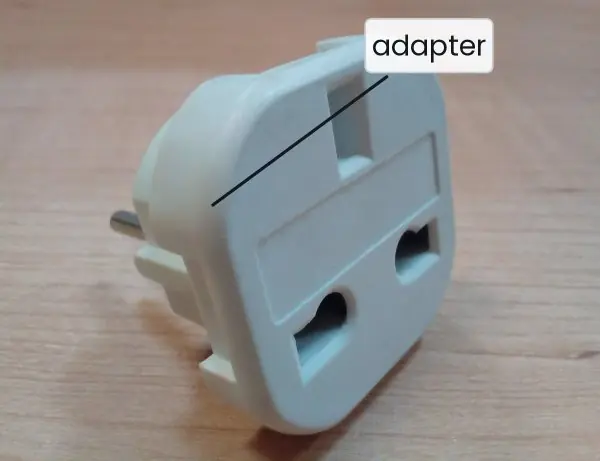
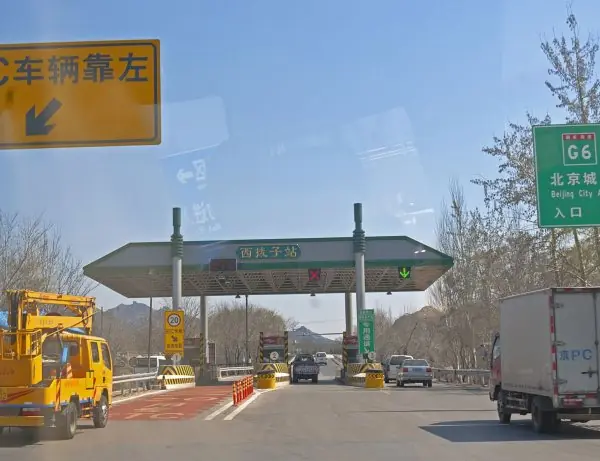
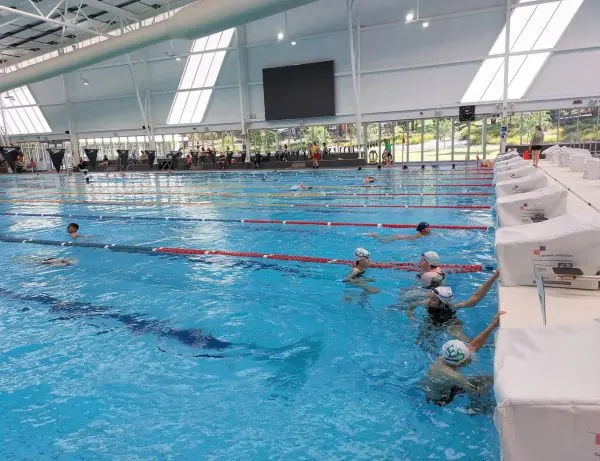
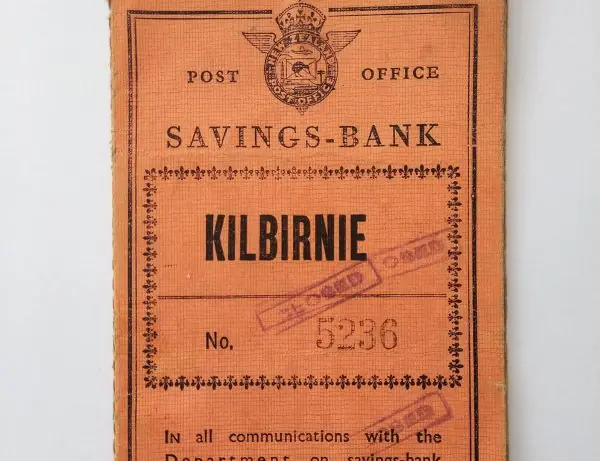
Plate 3.2 gives four everyday pictures: an adapter for the driver, toll booths and swimming lanes for the connection pool, and a passbook for the transaction record.
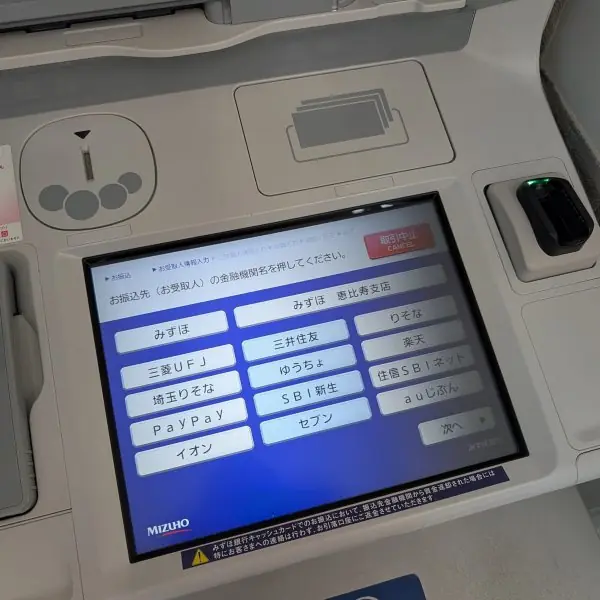
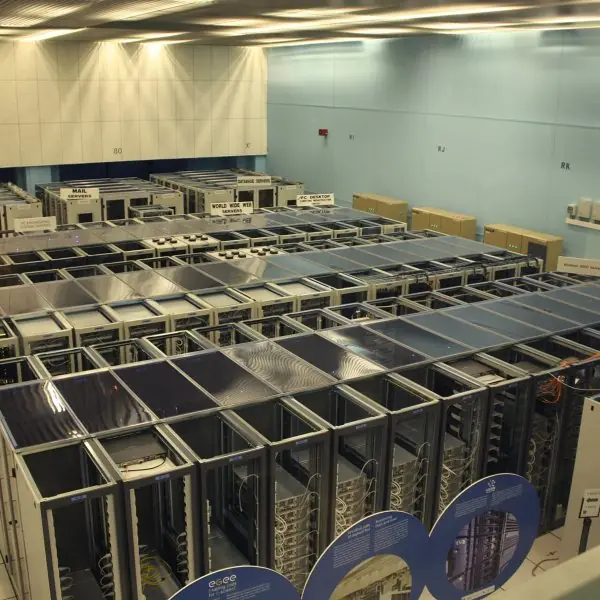
Plate 3.3 shows an ATM, a rack of database servers and the anatomy of a JDBC URL.
Figures 3.1 to 3.14 then show the layers, the cursor, the timings and the transaction behaviour, using numbers from real runs of Java 17 with the Xerial SQLite driver 3.45.3.0.









3.8.1 Eight uses of JDBC in Nepal
- Bank and wallet transfers. Payment systems such as ConnectIPS and Fonepay move money between banks, and inside a bank a Java service must debit one account and credit another. These two updates are written as one transaction with
commit()androllback()(Figure 3.8), so a failure between them cannot lose money. The bank also keeps the record that the passbook of Plate 3.2 once kept on paper. - Student records and exam results. Tribhuvan University, colleges and the EMIS of schools keep students, subjects and marks in relational tables. A result-entry program reads a roll number from a form, so it must use a
PreparedStatementand never join the text into the SQL (Figure 3.7). Batch updates let a college load the marks of several hundred students in one transaction (Figure 3.6). - Government services and the Nagarik App. Services that check a citizen's record, such as a certificate request or a tax payment, look up rows by a citizen number. The Java back end opens a pooled connection, runs one parameterised query and returns the connection at once (Figure 3.14). A pool keeps the service quick when many people use it on the same morning.
- Weather and river data. The Department of Hydrology and Meteorology collects readings from stations on rivers and hills every few minutes. A loader program inserts the readings with
addBatch()and commits them together, which is much faster than one commit per reading (Figure 3.6). Forecasters then query the table for a station and a date. - Hospital information systems. A hospital stores patients, visits, tests and bills, and a clerk's screen reads and writes these rows all day. A bill and its line items are inserted in one transaction, so a half-saved bill never appears. The DAO layer lets the hospital change its database without rewriting the screens (Figure 3.13).
- Cooperatives and microfinance. Savings cooperatives keep members, shares, loans and instalments in a database, and each end-of-month run updates thousands of rows. A batch inside a transaction does this in seconds, and a rollback undoes the whole run if one row breaks a rule. A savepoint (Figure 3.10) can undo only a bad part of a long run.
- Online shops and ticket sellers. A shop or a bus-ticket site checks a user's login, reserves stock or a seat, and records an order. The seat or the last item must be taken by one buyer only, so the reservation runs at a safe isolation level (Figure 3.9). The login check must use a prepared statement and a stored password hash.
- Utility bills and reports. A bill-payment site for electricity or water looks up an account, shows the amount due and records the payment. Reports for managers use
ResultSetMetaDatato print any table without knowing its columns in advance (Figure 3.4). Disconnected rows (Figure 3.12) can be shown in a table on a screen while the connection returns to the pool.
Formula and fact sheet
- Steps: driver →
getConnection(url)→createStatement/prepareStatement→executeQuery/executeUpdate→while (rs.next())→ close. executeQuery→ResultSet;executeUpdate→ int; placeholders?are 1-based; column indexes are 1-based.- Always use
PreparedStatementfor user input (prevents SQL injection) and try-with-resources for closing. - Transaction:
setAutoCommit(false)…commit()/rollback(); ACID; isolation levels. - Batch:
addBatch()thenexecuteBatch()(int[]).CachedRowSet: disconnected, scrollable. - URL examples:
jdbc:mysql://host:3306/db,jdbc:postgresql://host/db,jdbc:sqlite:file.db.
Chapter summary
- JDBC defines database-independent interfaces; a vendor driver (type 4 today) implements them; the program loads the driver, connects, runs SQL and processes results.
PreparedStatementis faster for repeated SQL and the cure for SQL injection;ResultSetis a cursor and metadata describes its columns.- Transactions make groups of statements atomic through commit and rollback; batching reduces round trips.
RowSets offer disconnected, scrollable data; the DAO pattern and connection pools separate persistence from the rest of the application.
Practice
- List the steps of a JDBC program and the four driver types.
- Differentiate
Statement,PreparedStatementandCallableStatement. - Write code to insert a student with a prepared statement and to list all students with marks above 80.
- Explain SQL injection with an example and how
PreparedStatementprevents it. - What is a transaction? Write the JDBC code for transferring money atomically.
- What does
executeBatch()return and why use batching? - What is a
ResultSetcursor? How donext(),getInt(1)andgetInt("marks")differ in indexing? - Describe
RowSetand the advantage ofCachedRowSet. - What is the DAO pattern? Sketch the interface for a
StudentDAO. - Why are connection pools used and how does a servlet obtain a pooled connection?
Answers and worked solutions
1. Load the driver, open a connection, create a statement, execute SQL, process the results, close the resources. Types: 1 JDBC–ODBC bridge, 2 native API, 3 network protocol (middleware), 4 pure Java.
2. Statement: fixed SQL text. PreparedStatement: parameterised, precompiled SQL for repeated and safe use. CallableStatement: calls stored procedures with IN and OUT parameters.
3. PreparedStatement ps = con.prepareStatement("INSERT INTO student(name, marks) VALUES (?, ?)"); ps.setString(1, "Ram"); ps.setInt(2, 72); ps.executeUpdate(); and ResultSet rs = con.createStatement().executeQuery("SELECT name FROM student WHERE marks > 80"); while (rs.next()) System.out.println(rs.getString(1));
4. If SQL is built by concatenation, input such as admin' -- (comment out the password test) or ' OR '1'='1 in both fields changes the query's logic and returns rows without valid credentials (1 and 2 rows in the demo). A prepared statement sends SQL and parameters separately; the input is only data and matches 0 rows.
5. A unit of work that is all or nothing (ACID). Code: con.setAutoCommit(false); try { debit; credit; con.commit(); } catch (SQLException e) { con.rollback(); } finally { con.setAutoCommit(true); }.
6. An int[] of update counts, one per queued statement. Batching reduces network round trips, which is much faster for many inserts.
7. next() advances to the next row. Column indexes are 1-based, so getInt(1) reads the first column; getInt("marks") reads by column name.
8. A RowSet is a ResultSet that is also a JavaBean; a CachedRowSet holds its rows in memory, so it works after the connection is closed, can be scrolled and edited, and is easy to pass between layers.
9. The Data Access Object hides persistence behind an interface: interface StudentDao { void insert(Student s); Optional<Student> findById(int id); List<Student> findAll(); boolean delete(int id); } with a JDBC implementation.
10. Opening connections is slow; a pool reuses them. In a container the pool is a DataSource configured in the server and found through JNDI (java:comp/env/jdbc/...).
Model answers for Unit 3
Q1. Explain the architecture of JDBC, the four driver types and the steps of a JDBC program. (10 marks)
Introduction. JDBC (Java Database Connectivity) is the standard API, in the package java.sql, that lets a Java program send SQL to a relational database and read the results in the same way for every vendor.
The application depends only on interfaces; the database vendor supplies the classes behind them (Fig. 3.1).
Architecture. There are four layers. (1) The application calls Connection, Statement and ResultSet. (2) The java.sql interfaces define the contract.
(3) The DriverManager (or a DataSource) matches the prefix of the URL, such as jdbc:mysql: or jdbc:sqlite:, to a registered driver. (4) The driver translates the calls into the protocol of one database.
A real run listed one driver, org.sqlite.JDBC 3.45, for SQLite 3.45.3. Changing the database means changing the jar and the URL, not the code.
Driver types (Fig. 3.2).
| Type | Name | Layers between program and database | Today |
|---|---|---|---|
| 1 | JDBC-ODBC bridge | bridge, ODBC driver, native client (3) | removed in Java 8 |
| 2 | Native API | Java plus C driver, native client library (2) | rare |
| 3 | Network protocol | driver and a middleware server (2) | rare |
| 4 | Pure Java | only the driver (1): it speaks the database protocol | standard |
Steps of a program.
- Put the driver jar on the classpath; JDBC 4 loads it automatically.
- Open a connection with
DriverManager.getConnection(url, user, password). - Create a
StatementorPreparedStatementfrom the connection. - Execute:
executeQueryfor SELECT,executeUpdatefor INSERT, UPDATE, DELETE and DDL. - Process the
ResultSetwithwhile (rs.next()). - Close everything; a try-with-resources block does this even when an exception occurs.
Errors. Every step may throw SQLException, which carries a message, a portable SQLState (08001 for a failed connection) and a vendor error code (19 for a constraint failure in SQLite).
Conclusion. JDBC separates the program from the database by interfaces and drivers; a type 4 driver is the practical choice, and the six steps with try-with-resources are the pattern behind every database program in Java.
Q2. Differentiate Statement, PreparedStatement and CallableStatement. (5 marks)
All three come from a Connection and send SQL to the database, but they differ in how the SQL is prepared and what it is used for.
Statementruns a complete SQL string. It is simple, but if the string contains user input the program is open to SQL injection (Fig. 3.7).PreparedStatementtakes SQL with?placeholders. The database compiles it once; the program sets values withsetInt(1, ...)andsetString(2, ...)and runs it many times. Values travel separately from the SQL, so the input is always data and never code.CallableStatementcalls a stored procedure kept inside the database, written as{call raise_marks(?, ?)}. It can register OUT parameters for results. SQLite has no stored procedures, so this form was described but not run; MySQL and PostgreSQL support it.
| Point | Statement | PreparedStatement | CallableStatement |
|---|---|---|---|
| SQL | fixed text | text with ? |
procedure call |
| Safe with user input | no | yes | yes, if parameters are used |
| Repeated use | recompiled | precompiled | procedure is stored |
| Typical use | static DDL | queries and updates | business logic in the database |
In the real timing, a PreparedStatement did not make 1,000 auto-committed inserts faster (1,250 ms against 1,233 ms); its main gain is safety, and speed comes from transactions and batches (Fig. 3.6).
Q3. What is SQL injection? Show an example and explain how PreparedStatement prevents it. (10 marks)
Introduction. SQL injection is an attack in which the user types SQL text into a form field, and a program that builds its SQL by joining strings runs that text as part of the query. It is one of the most common causes of data theft from web and desktop applications.
Vulnerable code. "SELECT COUNT(*) FROM users WHERE name='" + name + "' AND pw='" + pw + "'".
Attacks (real run, Fig. 3.7).
- Comment injection. The user enters
admin' --as the name. The query becomesWHERE name='admin' --' AND pw='x'. The two dashes start a comment, so the password test disappears. The program returned 1 row and the attacker became admin without a password. - Tautology. The user enters
' OR '1'='1in both fields. The condition becomes true for every row, and the query returned 2 rows, every user. - A tautology in the name field only returned 0 rows, because AND binds tighter than OR and the password test still failed. This shows that an attack depends on the exact query, but a program must never rely on that.
Prevention. A PreparedStatement sends the SQL WHERE name = ? AND pw = ? first, and the values afterwards as parameters. The database already knows the structure of the query, so the quote marks and dashes are only characters of a value. Both attacks above matched 0 rows.
| Defence | How it helps |
|---|---|
| PreparedStatement | separates code from data |
| Input validation | rejects impossible values (a roll number must be digits) |
| Least privilege | the program's database user cannot drop tables |
| Password hashing | stored values are bcrypt or Argon2 hashes, never plain text |
| Error handling | show a short message to the user, log the details |
Conclusion. Never build SQL by concatenation with user input. Use parameters for every value, validate input, give the database account only the rights it needs, and store hashed passwords.
Parameters cannot be used for table or column names, which must be chosen from a fixed list in the program.
Q4. What is a transaction? Explain ACID and write JDBC code for a bank transfer, with commit and rollback. (10 marks)
Introduction. A transaction is a group of database operations that must succeed or fail as a whole. Moving 200 rupees from one account to another has two updates; if only the debit happened, money would vanish (Fig. 3.8).
ACID properties.
- Atomicity: all the operations happen or none do.
- Consistency: the database moves from one valid state to another; the sum of the two accounts stays 800.
- Isolation: other transactions do not see the unfinished work; in the real run c2 still saw 1 while c1 had updated the row to 999, and saw 999 only after the commit (Fig. 3.9).
- Durability: once committed, the change survives a crash.
JDBC code.
con.setAutoCommit(false);
try {
    debit.executeUpdate();   // UPDATE ... balance = balance - ?
    credit.executeUpdate();  // UPDATE ... balance = balance + ?
    check the balance is not negative, else throw SQLException
    con.commit();
} catch (SQLException e) {
    con.rollback();
} finally {
    con.setAutoCommit(true);
}
Real run. Balances were 500 and 300. A transfer of 200 committed and gave 300 and 500. A transfer of 400 would leave -100, the check threw insufficient funds, rollback() ran and the balances stayed 300 and 500.
Why each step matters. setAutoCommit(false) is the line that makes the two updates one unit; if it is forgotten, the debit is committed on its own and the credit may then fail.
The balance check is done inside the transaction, after both updates, because the database then holds the state that would be committed, and a negative balance proves the rule would be broken. rollback() goes in the catch block so that any exception, not only the one thrown by the check, leaves the data as it was.
The finally block restores auto-commit, because the connection may be returned to a pool and used by another request.
In a real bank the same pattern also writes a row in a transaction log, so that the transfer can be traced and audited later.
States. A transaction is Active, then Partially Committed, then Committed; a failure leads to Failed and then Aborted (Fig. 3.8).
| Mode | Behaviour |
|---|---|
| Auto-commit (default) | each statement is its own transaction |
| Manual | commit() or rollback() ends the group |
Speed and safety. One commit per statement is slow; 1,000 auto-committed inserts took 1,233 ms, while one transaction took 10 ms (Fig. 3.6). Savepoints allow a partial rollback inside a transaction (Fig. 3.10).
Conclusion. Group related updates in one transaction, turn auto-commit off, commit on success, roll back on any exception, and restore auto-commit in a finally block.
Q5. What are batch updates? Explain addBatch() and executeBatch() with an example. (5 marks)
A batch sends many SQL statements to the database together instead of one by one. Each separate call costs a round trip to the server; with 1 ms per trip, 1,000 inserts need about 1,000 ms of waiting, while one batch needs a single trip (Fig. 3.11).
Method.
- Prepare one statement:
PreparedStatement ps = con.prepareStatement("INSERT INTO sq VALUES (?, ?)"). - For each row set the values and call
ps.addBatch(), which only queues the row. - Call
int[] counts = ps.executeBatch()to send them all. The array holds one update count for each queued statement. - Wrap the work in
con.setAutoCommit(false)andcon.commit()so the batch is also one transaction.
Example from the book. The program queued 1,000 rows of (i, i * i). executeBatch() returned 1,000 counts, and the rows affected were 1,000. The table then held count 1000, sum 333,833,500 and maximum 1,000,000; the sum equals 1000 x 1001 x 2001 / 6.
In the measured run a batch inside one transaction took 9 ms, against 1,233 ms for single auto-committed inserts, about 137 times faster (Fig. 3.6).
For very large loads, send the batch in pieces of a few hundred or thousand rows, so memory use stays small and one bad row does not undo hours of work.
Q6. Explain ResultSet and ResultSetMetaData. How does a CachedRowSet differ from a ResultSet? (5 marks)
A ResultSet is a cursor over the rows returned by a query. It starts before the first row (getRow() is 0). Each call of next() moves down one row and returns false after the last one (Fig. 3.4).
Columns are read by index, counted from 1, as in getInt(1), or by name, as in getInt("marks"). A SQL NULL read with getInt gives 0, so wasNull() must be asked straight after the read.
By default a result set is forward-only and read-only.
ResultSetMetaData describes the columns: getColumnCount(), getColumnName(i) and getColumnTypeName(i). A generic report program uses it to print any table. In the demo the query had 3 columns and the first was id.
CachedRowSet. It copies the rows into memory with populate(rs), so it works after the connection is closed (Fig. 3.12).
| Point | ResultSet | CachedRowSet |
|---|---|---|
| Connection | must stay open | can be closed |
| Movement | usually forward only | both ways: absolute(2), last(), previous() |
| Editing | limited | edit, then acceptChanges(con) |
| Memory | small | holds all rows |
In the real run three city rows were scrolled after the connection was closed. Use a cached row set for a screen table or for passing data between layers, but not for millions of rows.
Q7. Explain the DAO pattern and connection pooling. Why are they used in real applications? (10 marks)
Introduction. In a small program the SQL is written wherever it is needed, so a change of table or database means a search through every file.
Two patterns solve this: the Data Access Object (DAO) hides persistence, and a connection pool hides the cost of opening connections.
The DAO pattern (Fig. 3.13). A DAO is an interface with a few methods for one kind of data. For students:
interface StudentDao {
    void insert(Student s);
    Optional<Student> findById(int id);
    List<Student> findAll();
    boolean delete(int id);
}
One class, JdbcStudentDao, implements it with PreparedStatement and ResultSet; the servlet or the window calls only the interface and never sees a Connection.
In the real run three students were inserted, findAll returned all 3, findById(2) returned Sita and findById(9) returned an empty Optional, delete(1) returned true the first time and false the second, and 2 students remained.
Benefits of DAO.
- The SQL lives in one place, so it is easy to change and test.
- The database can be replaced without touching screens.
- A test can use
MemoryStudentDao, which keeps a list. - Business code stays free of
SQLExceptiondetails.
Connection pooling (Fig. 3.14). Opening a connection needs a network handshake and a login.
In the measurement, 300 queries took 186 microseconds each when every query opened its own connection and 27 microseconds each on one reused connection (Fig. 3.11); for a remote server the gap is much larger.
A pool opens a fixed number of connections at start-up and lends them out; close() on a pooled connection returns it to the pool.
In the simulation a pool of 3 served 8 requests with an average response of 6.75 ms and a worst case of 9 ms.
| Point | New connection each time | Pool |
|---|---|---|
| Cost per request | high | low |
| Load on the server | unlimited | limited by pool size |
| Waiting | none, but the server may refuse | requests queue when all are busy |
| Examples | demo programs | HikariCP, Apache DBCP, the server's DataSource |
In a servlet container the pool is configured in the server and found through JNDI: new InitialContext().lookup("java:comp/env/jdbc/College").
Conclusion. Use a DAO to keep SQL out of the rest of the program and a pool to keep connections cheap; together they make a database application easier to change and faster under load.
Q8. Explain transaction isolation levels and savepoints. (5 marks)
When many transactions run together, one may see the unfinished work of another. The SQL standard names three anomalies. A dirty read sees uncommitted data. A non-repeatable read reads the same row twice and gets two values.
A phantom is a query that returns extra rows the second time.
Four levels are set with con.setTransactionIsolation(...) (Fig. 3.9).
| Level | Dirty read | Non-repeatable | Phantom |
|---|---|---|---|
| READ UNCOMMITTED | yes | yes | yes |
| READ COMMITTED | no | yes | yes |
| REPEATABLE READ | no | no | yes |
| SERIALIZABLE | no | no | no |
Higher levels protect more but need more locking, so they are slower. PostgreSQL defaults to READ COMMITTED and MySQL InnoDB to REPEATABLE READ.
In the real SQLite run the level was 8, SERIALIZABLE: connection c1 changed a row to 999 without committing, c2 still read the old value 1, and read 999 only after the commit.
A savepoint is a bookmark inside a transaction: Savepoint sp = con.setSavepoint("afterFirst"), later con.rollback(sp). In the run, the update of row 2 was kept and the update of row 3 was undone, so id 2 = 1 and id 3 kept its original 3 (Fig. 3.10).