Unit 2 · 10 teaching hours · 30 min read
GUI Programming: Swing, Layouts and Event Handling
What the syllabus asks for 8
- AWT and Swing
- Building a window
- Layout managers
- The delegation event model
- Models and the MVC architecture
- Dialogs, menus and other details
- JavaFX in outline
- Seeing the ideas: windows, layouts, events and MVC
A console program asks questions in a fixed order; a graphical program waits, and the user decides what happens next: clicking, typing, choosing from a menu.
That reversal of control is the whole idea of GUI programming: you build a tree of components, register listeners for the events you care about, and hand control to an event loop.
Swing, part of the JDK since 1998, is still the standard desktop toolkit taught in Java courses and it is what this unit uses.
Because the build machine has no display, the programs here exercise components, models, layouts and events headlessly (they run for real); the one program that opens a window is compiled but not run.
- AWT and Swing: containers, components, look and feel.
- Layout managers: flow, border, grid, box, grid-bag.
- The delegation event model: sources, listeners, adapters, lambdas.
- Models (MVC): list, table, button models; the event dispatch thread; dialogs and menus.
- JavaFX in outline.
2.1 AWT and Swing
The AWT (Abstract Window Toolkit) wraps the operating system's native widgets, so a button looks and behaves like the platform's.
Swing (javax.swing) draws its own components in Java ("lightweight"), so they look the same everywhere, have a pluggable look and feel, and offer far more components (tables, trees, tabbed panes).
Swing still uses the AWT event classes and layout managers. Swing class names start with J: JFrame, JButton, JLabel.
| Swing class | Role |
|---|---|
JFrame |
top-level window with title bar and border |
JDialog, JOptionPane |
dialog windows; standard message and input boxes |
JPanel |
plain container for grouping components |
JLabel, JButton, JTextField, JPasswordField, JTextArea |
label, push button, one-line text, password, multi-line text |
JCheckBox, JRadioButton (with ButtonGroup), JComboBox, JList |
choices |
JTable, JTree, JScrollPane, JTabbedPane, JSplitPane |
data views and containers |
JMenuBar, JMenu, JMenuItem, JToolBar |
menus and toolbars |
Every visible object is a component (java.awt.Component); a container holds components; a top-level container (frame, dialog) owns a content pane to which you add things.
The component tree is displayed by the AWT event dispatch thread (EDT), the single thread on which all Swing work must happen.
2.2 Building a window
A typical program creates the frame, adds components, packs it and shows it, all inside SwingUtilities.invokeLater so it runs on the EDT. pack() sizes the window to fit the components' preferred sizes; setDefaultCloseOperation(JFrame.EXIT_ON_CLOSE) ends the program when the window closes.
The program below is a temperature converter; it is compiled by the build but, being a window, not run on this display-less machine.
// compile-only
import javax.swing.*;
import java.awt.*;
public class TempConverter {
    public static void main(String[] args) {
        SwingUtilities.invokeLater(() -> {
            JFrame frame = new JFrame("Celsius to Fahrenheit");
            JTextField input = new JTextField(8);
            JLabel result = new JLabel("Result: ");
            JButton convert = new JButton("Convert");
            convert.addActionListener(e -> {
                try {
                    double c = Double.parseDouble(input.getText().trim());
                    result.setText(String.format("Result: %.1f F", c * 9 / 5 + 32));
                } catch (NumberFormatException ex) {
                    JOptionPane.showMessageDialog(frame, "Enter a number", "Error", JOptionPane.ERROR_MESSAGE);
                }
            });
            JPanel p = new JPanel(new FlowLayout());
            p.add(new JLabel("Celsius:")); p.add(input); p.add(convert); p.add(result);
            frame.setContentPane(p);
            frame.setDefaultCloseOperation(JFrame.EXIT_ON_CLOSE);
            frame.pack();
            frame.setLocationRelativeTo(null);
            frame.setVisible(true);
        });
    }
}
Typing 100 and clicking Convert shows "Result: 212.0 F".
Long-running work (a download, a database query) must not run on the EDT or the window freezes; use a SwingWorker (work in doInBackground(), update the display in done()) or an executor with invokeLater for the update.
2.3 Layout managers
A layout manager decides the size and position of the components in a container, so the interface adapts to window size, fonts and platforms. Avoid absolute positioning (setLayout(null)).
| Manager | Rule | Default for |
|---|---|---|
FlowLayout |
left to right, wrapping to a new row | JPanel |
BorderLayout |
five regions: NORTH, SOUTH, EAST, WEST, CENTER; CENTER takes the leftover space | content pane of JFrame |
GridLayout |
equal-size cells in rows × columns | none |
BoxLayout |
one row or column, honours alignment and preferred sizes | Box |
GridBagLayout |
grid with cells of different sizes and weights, set by GridBagConstraints |
none |
CardLayout |
stack of panels, one visible at a time | wizards, tabs |
Nested panels with different managers build any design: a BorderLayout frame whose CENTER holds a JTable and whose SOUTH holds a FlowLayout panel of buttons.
import javax.swing.*;
import java.awt.*;
public class LayoutDemo {
    public static void main(String[] args) {
        JPanel grid = new JPanel(new GridLayout(1, 3, 0, 0)); grid.setSize(300, 100);
        for (String s : new String[]{"A", "B", "C"}) grid.add(new JButton(s));
        grid.doLayout();
        for (Component c : grid.getComponents()) System.out.println(((JButton) c).getText() + " -> " + c.getBounds());
        JPanel border = new JPanel(new BorderLayout()); border.setSize(400, 300);
        String[] names = {"North", "South", "West", "East", "Center"};
        String[] where = {BorderLayout.NORTH, BorderLayout.SOUTH, BorderLayout.WEST, BorderLayout.EAST, BorderLayout.CENTER};
        Dimension[] pref = {new Dimension(10, 40), new Dimension(10, 30), new Dimension(50, 10), new Dimension(70, 10), new Dimension(10, 10)};
        for (int i = 0; i < names.length; i++) {
            JButton b = new JButton(names[i]); b.setPreferredSize(pref[i]); border.add(b, where[i]);
        }
        border.doLayout();
        for (Component c : border.getComponents()) System.out.println(((JButton) c).getText() + " -> " + c.getBounds());
    }
}
A -> java.awt.Rectangle[x=0,y=0,width=100,height=100]
B -> java.awt.Rectangle[x=100,y=0,width=100,height=100]
C -> java.awt.Rectangle[x=200,y=0,width=100,height=100]
North -> java.awt.Rectangle[x=0,y=0,width=400,height=40]
South -> java.awt.Rectangle[x=0,y=270,width=400,height=30]
West -> java.awt.Rectangle[x=0,y=40,width=50,height=230]
East -> java.awt.Rectangle[x=330,y=40,width=70,height=230]
Center -> java.awt.Rectangle[x=50,y=40,width=280,height=230]
The grid divides 300 × 100 into three equal cells.
In the border layout the NORTH and SOUTH regions keep their preferred height (40 and 30) and span the full width, WEST and EAST keep their preferred width (50 and 70) and fill the height between, and CENTER receives everything that is left (400 − 50 − 70 = 280 wide, 300 − 40 − 30 = 230 tall).
2.4 The delegation event model
An event is an object describing something that happened. The model has three roles:
- the event source (a button, text field, window) generates events;
- the event object (
ActionEvent,MouseEvent,KeyEvent, …) carries the details; - the event listener is an object implementing a listener interface, registered with the source (
addActionListener). The source calls the listener's method when the event occurs.
This is the observer pattern: the source does not know what the listeners do, and one listener can serve several sources.
| Event class | Listener interface (methods) | Typical source |
|---|---|---|
ActionEvent |
ActionListener (actionPerformed) |
button click, Enter in a text field, menu item |
ItemEvent |
ItemListener (itemStateChanged) |
check box, radio button, combo box |
MouseEvent |
MouseListener (pressed, released, clicked, entered, exited), MouseMotionListener (moved, dragged) |
any component |
KeyEvent |
KeyListener (keyPressed, keyReleased, keyTyped) |
focused component |
WindowEvent |
WindowListener (opened, closing, closed, iconified, …) |
frame |
TextEvent/DocumentEvent |
DocumentListener |
text component's document |
ListSelectionEvent |
ListSelectionListener |
list, table |
TableModelEvent |
TableModelListener |
table model |
Adapter classes (MouseAdapter, KeyAdapter, WindowAdapter) implement all methods of a multi-method listener as empty methods, so you override only the one you need.
Ways to write a listener: a named class, an inner class (can use the enclosing object's fields), an anonymous class, or, for single-method interfaces such as ActionListener, a lambda e -> ....
import javax.swing.*;
import java.awt.event.*;
import java.util.*;
public class EventDemo {
    public static void main(String[] args) {
        JButton b = new JButton("Add"); JTextField f = new JTextField("5"); JLabel out = new JLabel("0");
        int[] total = {0}; List<String> log = new ArrayList<>();
        b.addActionListener(e -> { total[0] += Integer.parseInt(f.getText()); out.setText("Total = " + total[0]); log.add(e.getActionCommand()); });
        b.addActionListener(new ActionListener() { public void actionPerformed(ActionEvent e) { log.add("second listener"); } });
        b.doClick(); f.setText("10"); b.doClick(); b.doClick();
        System.out.println(out.getText());
        System.out.println(log);
        JComboBox<String> box = new JComboBox<>(new String[]{"BCA", "BBA", "BIT"});
        box.addItemListener(e -> { if (e.getStateChange() == ItemEvent.SELECTED) System.out.println("selected " + e.getItem()); });
        box.setSelectedIndex(2);
        JCheckBox cb = new JCheckBox("Agree");
        cb.addItemListener(e -> System.out.println("checkbox selected=" + (e.getStateChange() == ItemEvent.SELECTED)));
        cb.doClick(); cb.doClick();
        DefaultListModel<String> model = new DefaultListModel<>();
        model.addElement("Java"); model.addElement("Swing"); model.add(0, "Advanced");
        System.out.println("list model: " + model + " size " + model.size() + ", element 1 = " + model.getElementAt(1));
    }
}
Total = 25
[second listener, Add, second listener, Add, second listener, Add]
selected BIT
checkbox selected=true
checkbox selected=false
list model: [Advanced, Java, Swing] size 3, element 1 = Java
doClick() simulates a user click, so the buttons and their listeners are exercised without a display. The two listeners on one button are both called, in the order they were added (an action command defaults to the button text).
The combo box fires a SELECTED item event when the selection changes, and the check box fires one each time it toggles.
2.5 Models and the MVC architecture
Swing separates what is shown from how it is stored: the model holds the data (ListModel, TableModel, ButtonModel, Document, TreeModel), the view (a JList, JTable) draws it and the controller (listeners) changes it.
When the model changes it fires an event and every view updates itself. This is why two tables can share one model, and why you update a table by changing its model, never the component.
import javax.swing.table.*;
public class TableModelDemo {
    public static void main(String[] args) {
        DefaultTableModel m = new DefaultTableModel(new Object[]{"Name", "Marks"}, 0);
        m.addTableModelListener(e -> System.out.println("event type=" + e.getType() + " rows " + e.getFirstRow() + ".." + e.getLastRow()));
        m.addRow(new Object[]{"Ram", 72});
        m.addRow(new Object[]{"Sita", 91});
        m.addRow(new Object[]{"Hari", 64});
        m.setValueAt(80, 2, 1);
        double sum = 0;
        for (int r = 0; r < m.getRowCount(); r++) sum += (Integer) m.getValueAt(r, 1);
        System.out.printf("rows=%d average=%.2f%n", m.getRowCount(), sum / m.getRowCount());
        m.removeRow(0);
        System.out.println("after delete: " + m.getRowCount() + " rows, first = " + m.getValueAt(0, 0));
    }
}
event type=1 rows 0..0
event type=1 rows 1..1
event type=1 rows 2..2
event type=0 rows 2..2
rows=3 average=81.00
event type=-1 rows 0..0
after delete: 2 rows, first = Sita
The event types are TableModelEvent.INSERT = 1, UPDATE = 0 and DELETE = −1. A JTable(model) wrapped in a JScrollPane would redraw by itself after each of these events.
For your own data classes extend AbstractTableModel and implement getRowCount, getColumnCount and getValueAt.
2.6 Dialogs, menus and other details
JOptionPane:showMessageDialog(information),showConfirmDialog(yes/no),showInputDialog(one text value).JFileChooserandJColorChooserare ready-made dialogs.- Menus: a
JMenuBarholdsJMenus that holdJMenuItems with their ownActionListeners; accelerators (KeyStroke) and mnemonics add keyboard shortcuts. - Painting: override
paintComponent(Graphics g)in aJPaneland callsuper.paintComponent(g)first; draw withg.drawLine,fillRect,drawString; callrepaint()to request a redraw (never callpaintComponentyourself). - Mouse and key input: add a
MouseListenerorKeyListener; usegetX(),getY(),getKeyCode(). - Threads: only the EDT may touch components;
SwingUtilities.invokeLater(Runnable)hands work to it. - Look and feel:
UIManager.setLookAndFeel(UIManager.getSystemLookAndFeelClassName())before creating components.
2.7 JavaFX in outline
JavaFX is the modern replacement for Swing: a scene graph (Stage → Scene → nodes), layout panes (HBox, VBox, BorderPane, GridPane), properties with binding, CSS styling, FXML (XML description of the interface) and built-in animation and media.
Since Java 11 it is no longer part of the JDK and is added as a separate library (OpenJFX).
The same program as Section 2.2 looks like this (the JavaFX library is not installed on the build machine, so this listing is not compiled here):
import javafx.application.Application;
import javafx.scene.Scene;
import javafx.scene.control.*;
import javafx.scene.layout.HBox;
import javafx.stage.Stage;

public class TempFx extends Application {
    @Override public void start(Stage stage) {
        TextField input = new TextField(); Label result = new Label("Result: "); Button convert = new Button("Convert");
        convert.setOnAction(e -> result.setText(String.format("Result: %.1f F", Double.parseDouble(input.getText()) * 9 / 5 + 32)));
        stage.setScene(new Scene(new HBox(8, new Label("Celsius:"), input, convert, result)));
        stage.setTitle("Celsius to Fahrenheit"); stage.show();
    }
    public static void main(String[] args) { launch(args); }
}
The differences you are asked about in examinations: JavaFX uses a scene graph and Application.start(Stage) instead of frames and the EDT (it has its own JavaFX Application Thread), setOnAction instead of addActionListener, properties and binding instead of manual synchronisation, CSS and FXML for styling and layout.
2.8 Seeing the ideas: windows, layouts, events and MVC
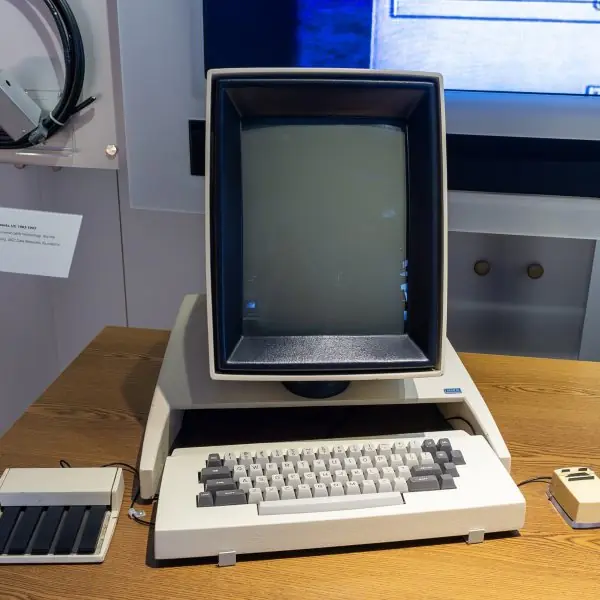
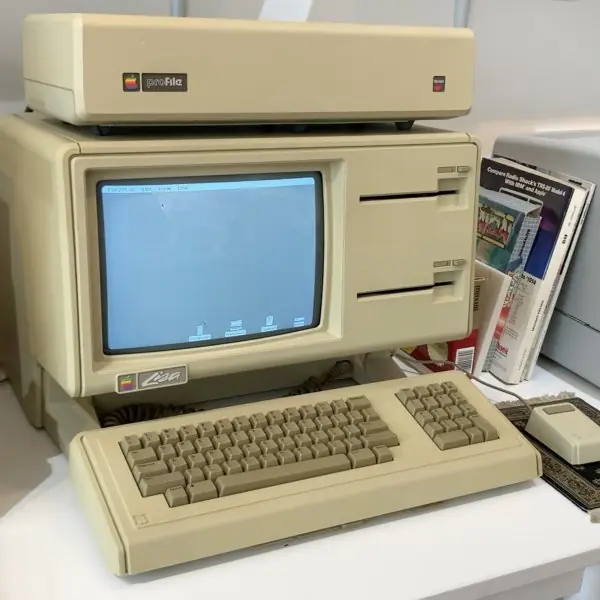
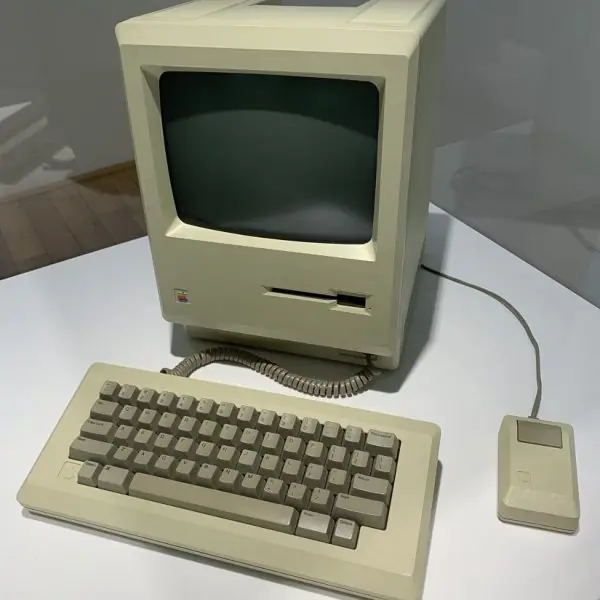
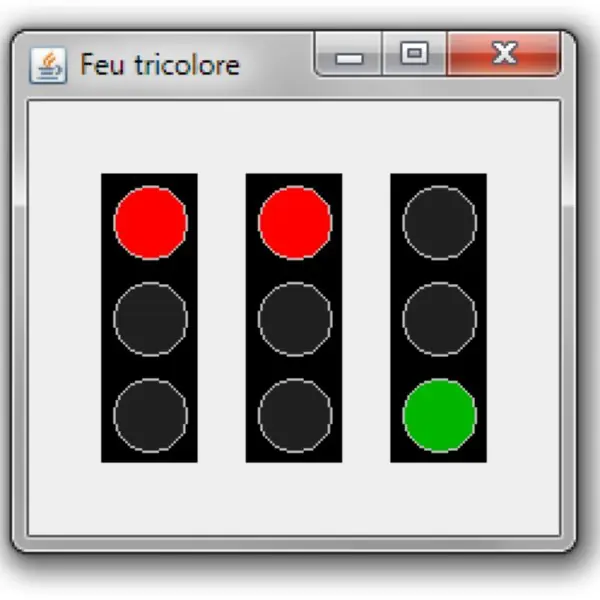
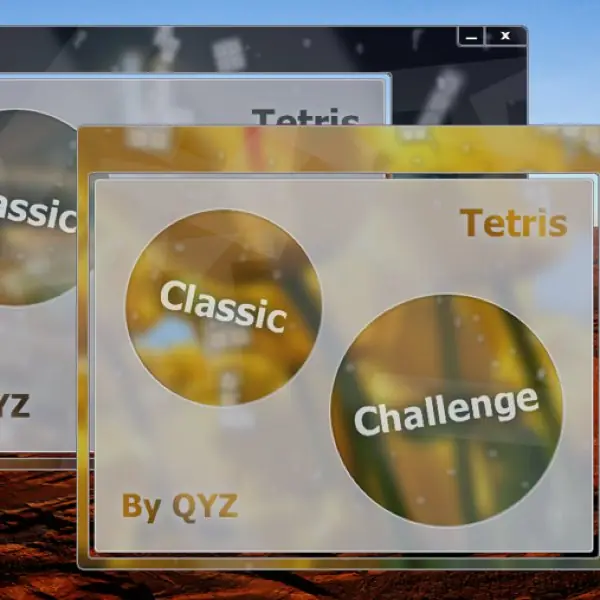
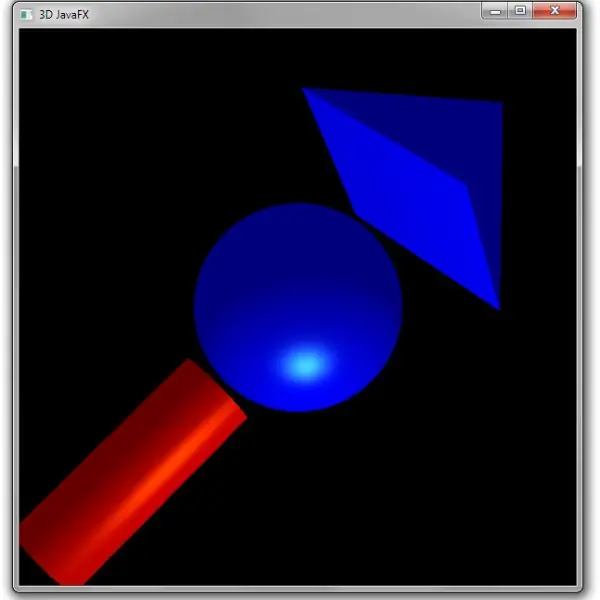
A graphical program is easier to write once you can picture its parts. Plate 2.1 shows the machines from which the desktop interface grew, and Plate 2.2 shows real Swing and JavaFX windows.
Figure 2.1 places Swing in the class tree and Figure 2.2 opens a JFrame.
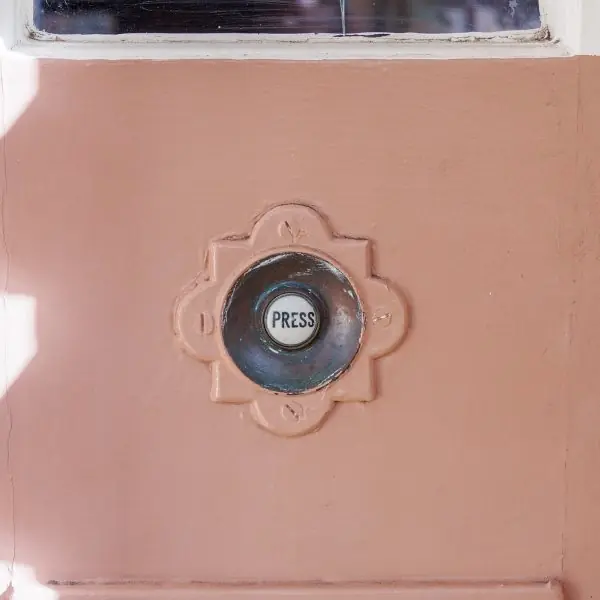
Figure 2.3 gives the sizes that three layout managers computed in a real run, Plate 2.3 gives an everyday picture of layouts, events and MVC, and Figures 2.4 to 2.6 follow an event from the button to its listeners, show why the event thread must stay free, and show a model telling its views about a change.
Every number was printed by a real OpenJDK 17 run (layouts and events in headless mode) or by the figure code.









2.8.1 Eight uses of Swing and JavaFX windows in Nepal
- Shop billing programs. Many small shops and pharmacies use a desktop billing program with a window for the item, the quantity and the total. A Swing form with a table and buttons is quick to write, and the same program runs on every shop computer. Pressing Enter or a button fires an event, and the listener adds the row and updates the total.
- Admission and registration desks. Schools and colleges that register students at a counter use a form to enter names, roll numbers and fees. Text fields, combo boxes and a table show the entered rows, and layout managers keep the form tidy at any screen size (Figure 2.3). Names in Nepali need a font and the UTF-8 character set.
- Hospital out-patient desks. A clerk at a hospital counter enters the patient, the department and the fee, and the program prints a ticket. The window must stay responsive when it searches a long list of old patients, so the search runs in a background worker (Figure 2.5). A frozen window at a busy counter makes a queue grow quickly.
- Bank and cooperative back-office tools. Savings cooperatives keep members and accounts in a database and use desktop windows for deposits and reports. The window is the view, the database record is the model, and the buttons are the controller, as in Figure 2.6. This separation lets a programmer change the screen without touching the account rules.
- Text and font converters. Tools that change old Preeti-font text into Unicode Nepali are small windows with two text areas and a button. The listener of the button reads the first area, converts it and writes the second area. Such a tool teaches the event model (Figure 2.4) in a few dozen lines.
- Offline data entry for surveys. Survey teams in places with weak internet enter forms on laptops and send the files later. A window with validation, such as a numeric field that refuses letters, catches mistakes at the time of entry. The saved file can be written with serialization or a text format.
- Teaching simulations and games. Teachers and students build graphing tools, projectile simulations and games such as the Tetris menu of Plate 2.2. Swing's custom painting and a timer redraw the picture several times a second. These programs show the lightweight drawing that Swing does itself (Figure 2.1).
- Monitoring dashboards. An internet provider or a data centre may show the status of servers in a desktop window that refreshes every few seconds. A background thread collects the numbers and passes them to the screen with
SwingUtilities.invokeLater, as in Figure 2.5. Colours and labels in a table or a JavaFX chart let the operator see a problem at a glance.
Formula and fact sheet
- Swing top level:
JFrame+getContentPane(); build on the EDT withSwingUtilities.invokeLater. - Layouts: Flow (rows), Border (N/S/E/W/Center), Grid (equal cells), Box, GridBag, Card;
JPaneldefault Flow,JFramecontent pane default Border. - Event model: source → event object → listener; register with
addXxxListener; adapters for multi-method listeners. - Listener styles: named, inner, anonymous, lambda.
- MVC: model fires events;
TableModelEventINSERT = 1, UPDATE = 0, DELETE = −1.
Chapter summary
- Swing components (
J...) form a tree under a top-level container and are drawn by the event dispatch thread; long work belongs in aSwingWorker. - Layout managers position components; nesting panels with different managers builds any layout.
- In the delegation event model a source notifies registered listeners; adapters and lambdas shorten the code.
- Swing separates models from views (MVC): changing the model updates every view through events.
- JavaFX offers a scene graph, binding, CSS and FXML as a modern alternative.
Practice
- Differentiate AWT from Swing. Name five Swing components.
- Why must Swing code run on the event dispatch thread? How do you start a GUI correctly?
- Name the default layout managers of
JPaneland theJFramecontent pane and describe the fiveBorderLayoutregions. - In the BorderLayout example, why is the CENTER button 280 × 230?
- Explain the delegation event model with the roles of source, event and listener.
- What is an adapter class and when do you use it? Write a
MouseListenerthat prints the click position usingMouseAdapter. - Write the code for a button that increments a label counter, using a lambda.
- What does MVC mean in Swing? Why does a
JTableupdate when its model changes? - How do you keep a window responsive during a long task?
- List three differences between Swing and JavaFX.
Answers and worked solutions
1. AWT uses native peer components; Swing draws its own lightweight, platform-independent components with pluggable look and feel and a larger set. Examples: JFrame, JButton, JLabel, JTextField, JTable.
2. Swing components are not thread-safe; all access must be on the EDT to avoid corrupted state. Start with SwingUtilities.invokeLater(() -> createAndShowGui()).
3. JPanel: FlowLayout; content pane: BorderLayout. Regions: NORTH and SOUTH (full width, preferred height), WEST and EAST (preferred width, between north and south), CENTER (all the remaining space).
4. The panel is 400 × 300. West and east take 50 and 70 of the width, leaving 280. North and south take 40 and 30 of the height, leaving 230.
5. The source (e.g. a button) creates an event object (ActionEvent) and calls actionPerformed on every listener registered with addActionListener; the listener holds the program's reaction.
6. An adapter implements all methods of a listener interface with empty bodies. component.addMouseListener(new MouseAdapter() { public void mouseClicked(MouseEvent e) { System.out.println(e.getX() + "," + e.getY()); } });
7. int[] n = {0}; button.addActionListener(e -> label.setText("Count: " + (++n[0])));
8. Model–view–controller: the model stores data, the view displays it and the controller (listeners) edits it. The model fires events (TableModelEvent) that the table listens to, so it repaints itself.
9. Run the work in a SwingWorker.doInBackground() or another thread and update the components through done() or invokeLater.
10. JavaFX: scene graph with Stage and Scene; properties with binding; CSS and FXML styling; setOnAction handlers; separate JavaFX Application Thread; and it is a separate library since Java 11.
Model answers for Unit 2
Q1. Differentiate AWT from Swing. Why is Swing preferred? (10 marks)
Introduction. AWT (Abstract Window Toolkit, java.awt) was the first Java GUI library, in 1995. Swing (javax.swing) came in 1998 and is built on AWT's Component and Container classes, but draws its own components (Fig. 2.1).
AWT. An AWT button is a peer: a native button of the operating system is created for it, so it is heavyweight and looks different on Windows, Linux and macOS. The set of components is small, the lowest common denominator of all systems.
Swing. A Swing component such as JButton extends JComponent and is painted by Java code, so it is lightweight. It looks the same everywhere or can follow a chosen look and feel.
It offers many more components (JTable, JTree, JTabbedPane) and uses the MVC idea for its models (Fig. 2.6). Top-level windows such as JFrame still extend an AWT Frame.
| Point | AWT | Swing |
|---|---|---|
| Package | java.awt |
javax.swing |
| Drawing | native peer of the OS | painted by Java |
| Weight | heavyweight | lightweight |
| Look | changes with the system | same, or pluggable look and feel |
| Components | few | many (table, tree, tabs) |
| Model support | none | MVC models |
| Names | Button, Frame |
JButton, JFrame |
Why Swing is preferred. It gives a uniform appearance, a richer set of components, pluggable looks, separate models and better control of painting. AWT classes still supply layout managers, events and graphics, so both are used together.
Conclusion. Use Swing for new desktop windows; use JavaFX when a newer scene-graph toolkit is wanted (Plate 2.2).
Q2. Explain the delegation event model with an example. Name the parts and three listener interfaces. (10 marks)
Introduction. In the delegation event model an object that produces events, the source, hands the handling of its events to separate listener objects. The source does not know what a listener does; it only calls a method (Fig. 2.4).
The doorbell in Plate 2.3 is an everyday picture: the button only rings, and what happens in the house is another matter.
Parts. (1) The event source, such as a JButton, JTextField or JFrame. (2) The event object, such as ActionEvent or MouseEvent, which carries information (getSource(), getActionCommand(), the position of the mouse).
(3) The listener, an object that implements a listener interface and is registered with the source.
Steps. (1) Write a class that implements the interface, for example ActionListener with actionPerformed(ActionEvent e). (2) Create the listener object. (3) Register it with source.addActionListener(listener).
(4) When the user clicks, the event thread creates the event object and calls the method of every registered listener. A lambda can replace the class because ActionListener has one method.
Real run (Fig. 2.4). Three listeners L1, L2 and L3 were registered in this order on one button. Two calls of doClick() printed L3 L2 L1 L3 L2 L1: all three were called for each click, in reverse order of registration, which a program must not rely on.
| Listener interface | Methods (examples) | Event | Used for |
|---|---|---|---|
ActionListener |
actionPerformed |
ActionEvent |
buttons, menus, Enter in a field |
MouseListener |
mouseClicked, mousePressed, mouseReleased |
MouseEvent |
clicks on any component |
KeyListener |
keyPressed, keyTyped |
KeyEvent |
keyboard input |
WindowListener |
windowClosing, windowOpened |
WindowEvent |
closing a frame |
Adapters. MouseAdapter and WindowAdapter provide empty methods, so a class overrides only the one it needs.
Conclusion. The model separates the cause of an event from its handling, and one source can have many listeners and one listener many sources.
Q3. What is a layout manager? Explain BorderLayout, GridLayout and FlowLayout with their effects. (10 marks)
Introduction. A layout manager decides the size and position of the components in a container when the window opens or is resized. It replaces fixed positions (setLayout(null)), which break on other screens and fonts. It is set with container.setLayout(...).
BorderLayout (default for the content pane of a JFrame) has five regions: North, South, East, West and Center.
North and South take their preferred height and the full width; East and West take their preferred width; Center takes everything that is left.
In a real run with a 400 × 300 panel the results were North and South 400 × 25, East 65 × 250, West 71 × 250 and Center 264 × 250 (Fig. 2.3); 400 − 65 − 71 = 264.
GridLayout(rows, columns) divides the container into equal cells and fills them row by row. A 2 × 3 grid in 300 × 100 gave six cells of exactly 100 × 50. Components are stretched to fill the cell, so buttons of different text have the same size.
FlowLayout (default for a JPanel) places components in a row at their preferred size and starts a new row when the width is used up. Five buttons of 94 × 25 in a width of 300 gave 3 + 2, with the second row centred (x = 53 and 152).
| Layout | Placement | Size of components | Typical use |
|---|---|---|---|
| BorderLayout | five regions | by region | whole window: toolbar, status bar, main area |
| GridLayout | equal cells | all equal | calculator keys, game boards |
| FlowLayout | row by row | preferred | button rows, small panels |
| BoxLayout | one row or column | preferred | forms |
| GridBagLayout | grid with spans | flexible | complex forms |
Nesting. Real windows nest panels: a JPanel with GridLayout for the keys can sit in the Center of a BorderLayout, with a text field in the North, as in a calculator.
Conclusion. Layout managers make a window adapt to its size, font and language, and nesting them gives almost any layout.
Q4. Explain the MVC architecture and how Swing uses it. (5 marks)
MVC splits a program into three parts. The model holds the data and the rules (for example a list of names or a bank balance) and knows nothing about the screen. The view shows the model to the user.
The controller turns user actions into changes of the model. The waiter picture of Plate 2.3 shows it: the kitchen is the model, the waiter the view and the customer's order the controller.
Notification (Fig. 2.6). The model keeps a list of listeners. When its data change it sends an event to each of them, and each view redraws itself.
In a real run of a DefaultListModel, three addElement calls, one set and one remove sent 3 added, 1 changed and 1 removed events, and the model ended with 2 names.
Swing. Components such as JList, JTable and JTree take a model (ListModel, TableModel, TreeModel), so two views can show the same model and stay in step, and the model can be tested without a window.
Swing joins view and controller in one delegate, so it is called a separable model architecture.
Advantages. Changing the look does not touch the data; several views of one model; easier testing and re-use.
Q5. Why must a Swing program not do long work on the event dispatch thread? How is it avoided? (5 marks)
Swing is not thread-safe. All changes to components, and all drawing, are made on one thread, the event dispatch thread (EDT), which takes events from a queue one at a time.
In the real run SwingUtilities.isEventDispatchThread() was true inside invokeAndWait and false in main.
The problem (Fig. 2.5). A listener that runs a job of 3 seconds keeps the EDT busy, so later events wait. In the simulation click 2, at 100 ms, waited 2,900 ms and the repaint, at 200 ms, waited 2,810 ms: the window appears frozen and cannot be moved or redrawn.
The cure. Run the long job on another thread, for example a SwingWorker: doInBackground() does the work off the EDT, publish() and process() send progress, and done() runs back on the EDT to show the result.
With the worker, the handler took only 5 ms and the later events waited 0 ms. A plain thread or executor works too if it hands the result to the screen with SwingUtilities.invokeLater(...).
Rule. Draw and change components only on the EDT; do slow work (network, database, files) elsewhere.
Q6. Describe the structure of a JFrame and the steps to show a simple window. (5 marks)
A JFrame is a top-level window with a title bar, borders and one JRootPane. The root pane holds a layered pane, which holds the optional menu bar and the content pane, and a transparent glass pane on top (Fig. 2.2).
In a real run, a root pane with one button had 5 components: root pane, layered pane, content pane, glass pane and button. Calling frame.add(c) adds to the content pane.
Steps. (1) Create the frame: JFrame f = new JFrame("Title");. (2) Choose the close action: f.setDefaultCloseOperation(JFrame.EXIT_ON_CLOSE);. (3) Set a layout if the default BorderLayout is not wanted.
(4) Create components and add them, for example a JLabel, a JTextField and a JButton. (5) Register listeners on the components that need them. (6) Give it a size with f.pack() (the layout computes the size) or setSize.
(7) Show it with f.setVisible(true). The whole creation should be started on the EDT with SwingUtilities.invokeLater.
Q7. Compare Swing with JavaFX. (5 marks)
JavaFX is the newer Java toolkit for rich client applications. A JavaFX program has a Stage (the window), a Scene and a tree of Nodes, the scene graph; a node can be a button, a chart, an image or a 3-D shape (Plate 2.2).
Swing has frames, panes and components (Fig. 2.2).
| Point | Swing | JavaFX |
|---|---|---|
| Since | 1998, part of Java SE | 2008; separate OpenJFX module since Java 11 |
| Structure | JFrame, panels, components | Stage, Scene, scene graph of nodes |
| Layout | layout managers | layout panes (BorderPane, GridPane, HBox, VBox) |
| Look | look and feel classes | CSS style sheets |
| Interface design | code | code or FXML files, with Scene Builder |
| Graphics | 2-D painting | 2-D, 3-D, animation, media, charts |
| Events | listeners | listeners and lambdas, properties with bindings |
Swing is mature, stable and present in many existing programs and teaching material; JavaFX is better for new applications with animation, charts or a modern look, but it has to be added to the project as a library.