Unit 5 · 4 teaching hours · 13 min read
Implementation and Maintenance
What the syllabus asks for 4
- System implementation
- System maintenance
- Testing levels, installation strategies and maintenance types, in pictures
- Eight reasons why testing and maintenance planning pay off
The design is finished; now the system must be built, tested, installed, documented, taught to its users and kept alive for years. In practice maintenance consumes more effort than all earlier phases together.
- The implementation activities: coding, testing, installation, documentation, training and support.
- Software testing levels and techniques, with a worked test-case example.
- Installation strategies; documentation; organisational issues.
- Types of maintenance, how it is carried out, and its cost.
5.1 System implementation
Implementation activities: coding (programming to the design standards), testing, installation (converting from the old system), documentation (system and user), training and support, and then a post-implementation review.
The deliverable is a working system accepted by users.
Software application testing
Testing is running the software to find errors; it can show the presence of bugs, never their absence. Verification asks "are we building the product right?" (meets design); validation asks "are we building the right product?" (meets user need).
| Level | What is tested | By whom |
|---|---|---|
| Unit (module) test | one program/function in isolation, using stubs/drivers | programmer |
| Integration test | modules working together (top-down, bottom-up, big-bang) | developers/testers |
| System test | the whole system: functions, performance, security, recovery | test team |
| Acceptance test | against the user's requirements: alpha (in-house) and beta (selected real users); also user acceptance test (UAT) | users |
Techniques: black-box (from specifications: test inputs and outputs without looking at code; equivalence classes, boundary values), white-box (from the code: cover statements, branches, paths).
Others: regression testing (re-run old tests after a change), stress/load testing, usability testing, security testing. A test case lists the input, the steps, the expected result and the actual result. Test both valid and invalid data.
Requirement: marks are an integer from 0 to 100; 40 or above is a pass. Equivalence classes: below 0 (invalid), 0–39 (fail), 40–100 (pass), above 100 (invalid), non-numeric (invalid).
Boundary values to test: −1, 0, 1, 39, 40, 41, 99, 100, 101, plus "abc" and blank. Expected results: −1 → "invalid"; 0 → fail; 39 → fail; 40 → pass; 100 → pass; 101 → "invalid"; "abc" → "invalid".
Eleven well-chosen cases cover the rule far better than hundreds of random numbers, because defects cluster at the edges (>= mistyped as > is caught only by testing exactly 40).
Test planning: a test plan sets scope, strategy, schedule, roles, environment and exit criteria; defects are logged with severity, steps to reproduce and status and tracked to closure.
Installation
Installation replaces the old system with the new one, along with converting data, training, and sometimes hardware.
| Strategy | Description | Risk | Cost | Best when |
|---|---|---|---|---|
| Direct (cold turkey) | switch off old, switch on new at a date | highest | lowest | system is not critical, or old one is failing |
| Parallel | run old and new together until the new is trusted | lowest | highest (double work) | critical systems (payroll, banking) |
| Phased (staged) | introduce module by module or function by function | medium | medium | large systems that divide into parts |
| Pilot (single location) | install at one branch or department first | low | medium | many similar sites |
Installation also covers data conversion (cleaning, mapping, loading and reconciling data from the old system), site preparation, a cutover plan with a back-out plan, and a go-live support team.
Documenting the system
System documentation (for maintainers): requirements, DFDs and ERDs, design specifications, data dictionary, program source with comments, test plans and results.
User documentation (for users): user manual, quick-start guide, tutorials, FAQs, online help and context-sensitive help, release notes.
Good documentation is written for its reader, is kept up to date with the system, and uses screenshots and examples. In agile projects it is "just enough", with working code and tests as the primary documentation.
Training and supporting users
Training types: formal classroom, one-to-one, on-the-job, computer-based/e-learning and videos, and train-the-trainer. Training content: system purpose, how to do each task, error handling, who to call.
Support: a help desk (phone, chat, ticketing), an information centre, power users in each department, FAQs and a knowledge base, plus a feedback channel for change requests.
Plan training before go-live, with practice on a training copy of the system.
Organisational issues in implementation
A technically perfect system fails if people reject it.
Issues: resistance to change (fear of job loss, extra work, loss of status); user involvement and sponsor support; management of expectations; data ownership and security issues; cost and time overruns; and the effect on jobs and workflow.
Measures: involve users from analysis onward, communicate honestly and early, train well, run a pilot, and reward adoption.
A post-implementation review after a few months compares the achieved benefits and costs with the plan (Unit 2) and lists lessons learned.
System success is measured by use, user satisfaction, quality of information, and impact on the organisation.
5.2 System maintenance
Maintenance is everything done after installation to keep the system useful. Software does not wear out, but business, law and technology change around it. Typically 60–80% of total system cost over its life is maintenance.
| Type | Purpose | Typical share | Example |
|---|---|---|---|
| Corrective | fix defects | ~20% | wrong fee total on a report |
| Adaptive | adapt to a changed environment | ~20% | new tax rate, new operating system or database version |
| Perfective | add or improve functions, performance, usability | ~50% | a new report, faster search |
| Preventive | restructure to avoid future problems | ~5% | refactoring, updating documentation |
Conducting systems maintenance
The maintenance process mirrors a small SDLC: (1) obtain a maintenance request (a change request form describing the problem or need); (2) analyse it: classify, judge impact and cost, prioritise (emergency fixes first); (3) design the change and its effect on other parts; (4) implement and test (including regression tests); (5) deliver and update documentation and inform users.
Organisations use a change control board to approve changes.
Configuration management keeps track of every version of every component (version control such as Git), builds and releases, so a faulty change can be rolled back and the production system is reproducible.
Factors affecting maintenance cost: number and quality of documentation, code complexity and structure, staff experience and turnover, the age of the system, use of standards, the number of users, and the quality of the original development.
The best way to cut maintenance cost is to invest in quality at analysis and design. Eventually a system reaches the end of its useful life: when the cost of change exceeds the cost of replacement, a new project starts at Unit 2.
5.3 Testing levels, installation strategies and maintenance types, in pictures
Testing proves that the system matches the requirements, and each test level checks a different layer of the design (Figure 5.1).
Small units are tested first by the programmer; the whole system is tested next by the testers; and the last test, user acceptance, is done by the customer against the original requirements.
After testing, the system must be installed, and the strategy decides how much risk the organisation accepts (Figure 5.2). Once the system is live, maintenance begins; it is never only bug fixing (Figure 5.3).
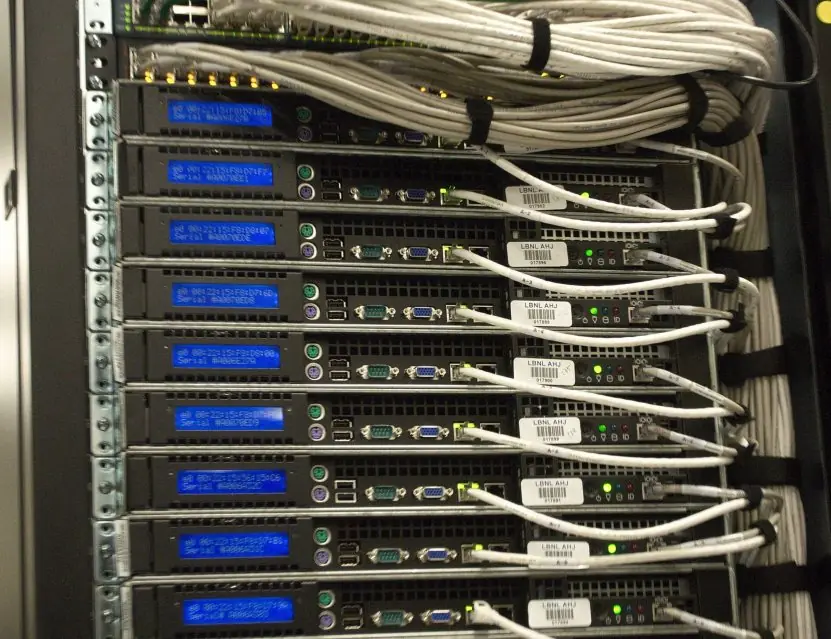
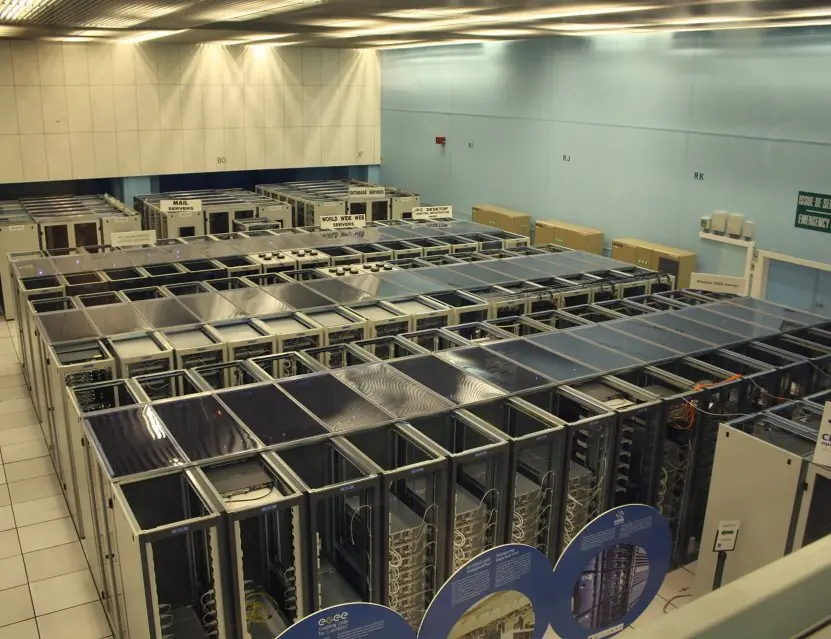
Plate 5.1 shows the kind of infrastructure that a production system runs on after installation.


5.4 Eight reasons why testing and maintenance planning pay off
- Faults are found before users find them. Testing in layers catches coding errors at unit level and interface errors at integration level. A wrong fine calculation found by a tester costs nothing; found by a student at the counter it costs trust.
- The system is checked against the requirements. Acceptance tests are written from the requirement list, so the customer decides whether the promised features exist. This prevents disputes at delivery.
- Installation risk is chosen deliberately. Direct, parallel, phased and pilot strategies trade speed against safety. A bank usually runs parallel; a small shop may cut over directly.
- Data is converted safely. Old records are cleaned, converted and verified before go-live. Missing student records after a change of system would be a serious failure.
- Users are trained. Training and manuals turn a working system into a used system. Without them even a perfect system is blamed for user mistakes.
- Maintenance is expected and budgeted. Most of a system's lifetime cost occurs after delivery. Planning for corrective, adaptive, perfective and preventive work avoids surprise bills.
- Change is controlled. Change requests are logged, assessed, tested and approved before release. This stops a quick fix for one office from breaking another.
- Knowledge is preserved. Updated documentation, a version history and test cases let new staff maintain the system. The system outlives the team that built it.
Formula and fact sheet
- Testing levels: unit → integration → system → acceptance (alpha, beta, UAT). Black-box vs white-box.
- Boundary-value testing: test at, just below and just above every limit.
- Installation: direct (riskiest), parallel (safest, costliest), phased, pilot.
- Maintenance types: corrective, adaptive, perfective (largest share), preventive. Maintenance is the majority of lifetime cost.
Chapter summary
- Implementation covers coding, multi-level testing, installation, documentation, training and support, and must manage organisational change.
- Installation strategies trade risk against cost; documentation serves maintainers and users.
- Maintenance (corrective, adaptive, perfective, preventive) is the longest and costliest phase, governed by change control and configuration management.
Practice
- Differentiate verification and validation.
- Describe unit, integration, system and acceptance testing.
- Differentiate black-box and white-box testing; write boundary test values for an age field accepting 18 to 60.
- Compare direct, parallel, phased and pilot installation; which is suited to a payroll system?
- List system and user documentation items.
- Suggest four reasons for user resistance and how to reduce it.
- Explain the four types of maintenance with examples.
- Why is maintenance often the biggest cost?
- What is configuration management and why is it needed?
Answers and worked solutions
1. Verification: the product conforms to its specification (built right). Validation: it satisfies the user's real need (right product).
2. Unit: single module in isolation. Integration: modules together. System: complete system against the requirements and non-functional needs. Acceptance: users confirm it meets their needs.
3. Black-box tests behaviour from the specification; white-box tests internal logic. Boundary values: 17, 18, 19, 59, 60, 61 (plus a non-numeric and blank).
4. See the installation table. Payroll is critical, so parallel (compare old and new results for a few pay cycles).
5. System: requirements, DFDs/ERDs, design specs, data dictionary, source, test plans. User: manual, quick guide, tutorials, FAQ, help.
6. Fear of job loss, extra workload, loss of control, dislike of change. Reduce by early involvement, communication, training, a pilot and visible management support.
7. Corrective (fix a defect), adaptive (new tax rate), perfective (new report or speed-up), preventive (refactoring for future ease).
8. The system lives for years while the business, laws and technology change, and each change must be analysed, built, tested and documented; poor design and documentation make each change costlier.
9. Control of versions and changes to all components so any version can be rebuilt or rolled back, and changes are authorised and traceable.
Model answers: medium (5 marks) and long (10 marks) questions
Q1 (5 marks). Explain the levels of software testing and the role of user acceptance testing.
Introduction. Testing is the process of running a system to find faults and to confirm that it meets its requirements. It is done in levels, each checking one stage of the design (Figure 5.1).
Levels.
- Unit testing. The programmer tests each function or module alone, usually with automated test cases. It finds logic and calculation errors.
- Integration testing. Modules are combined and the interfaces between them are tested, for example the data passed from the issue module to the loans database.
- System testing. The complete system is tested against the design for functions, performance, security and recovery.
- Acceptance testing. The users test the system with real data against the original requirements. Alpha testing is done in-house, beta testing at selected user sites.
Approaches. Black-box testing checks outputs for given inputs without seeing the code; white-box testing uses knowledge of the code paths.
| Level | Who tests | What is checked |
|---|---|---|
| Unit | programmer | one module |
| Integration | developers | interfaces |
| System | test team | whole system |
| Acceptance | users | requirements |
Conclusion. Acceptance testing is the final gate: the customer decides whether the system does what was agreed, and only then is it installed.
Q2 (10 marks). Describe the strategies for installing a new information system and the types of system maintenance. Compare the installation strategies.
Introduction. Installation replaces the old way of working with the new system; maintenance keeps the installed system useful for its whole life. Both carry risk that must be planned.
Installation strategies (Figure 5.2).
- Direct cutover. The old system is switched off and the new one on at a stated moment. It is quick and cheap, but a failure stops the business.
- Parallel. Old and new run together for a period and results are compared. It is the safest, but double work and cost are needed.
- Phased. One module or function moves at a time. Risk is spread, but the old and new systems need temporary interfaces.
- Pilot (single location). The new system runs at one branch or department first, and lessons are used before full roll-out.
Other installation tasks. Data conversion, hardware and network set-up, user training, and final documentation.
Maintenance types (Figure 5.3).
- Corrective. Repairing faults found in use.
- Adaptive. Changing the system to suit a new environment, such as a new law, tax rate or operating system.
- Perfective. Adding features or improving performance in response to users.
- Preventive. Restructuring code and updating documentation to avoid future problems.
| Strategy | Risk | Cost | Best when |
|---|---|---|---|
| Direct | high | low | small or non-critical system |
| Parallel | low | high | critical system such as banking |
| Phased | medium | medium | modular system |
| Pilot | low to medium | medium | many branches |
Conclusion. The right installation strategy balances speed, cost and risk, and maintenance in all four forms usually costs more over the system's life than the original build. Planning for both is part of systems analysis.