Unit 1 · 9 teaching hours · 17 min read
System Development Fundamentals
What the syllabus asks for 11
- The systems development environment
- Modern approaches to systems analysis and design
- The systems development life cycle (SDLC)
- CASE tools
- Service-oriented architecture
- Agile methodologies and Extreme Programming
- Object-oriented analysis and design
- The origins of software and system acquisition
- Managing the information systems project
- The life cycle as a picture, and agile practice in the field
- Eight reasons why a systematic life cycle matters
Organisations run on information systems: a bank's core system, a university's result portal, a shop's billing software. Systems analysis and design (SAD) is the disciplined way of building them so that they solve the right problem, on time and within budget.
- Systems, information systems and their types.
- The systems development life cycle (SDLC) and its models: waterfall, prototyping, spiral, RAD, agile, XP.
- CASE tools, service-oriented architecture, object-oriented analysis and design.
- Acquiring software (build, buy, outsource, reuse) and managing the project: Gantt, PERT, critical path.
1.1 The systems development environment
A system is a set of interrelated components working toward a goal, with inputs, processing, outputs, feedback and a boundary separating it from its environment.
An information system (IS) collects, processes, stores and distributes information to support operations and decisions; it combines people, procedures, data, hardware and software.
The systems analyst is the bridge between users and technologists: studies the business problem, defines requirements, designs the solution, and manages change.
Skills: analytical thinking, communication, technical knowledge, business knowledge, and project management.
Types of information systems
| Type | Purpose | Users | Example |
|---|---|---|---|
| Transaction Processing System (TPS) | records daily transactions accurately and fast | clerks, operators | billing, ATM, bus ticketing |
| Management Information System (MIS) | summary reports from TPS data for control | middle managers | monthly sales report |
| Decision Support System (DSS) | interactive "what-if" models for semi-structured decisions | managers, analysts | budget simulator |
| Executive Support System (ESS) | dashboards of key indicators and trends | senior executives | enterprise dashboard |
| Expert system | rule-based advice replacing a specialist | any | loan advisor |
| Office automation / knowledge management | documents, mail, collaboration | all staff | e-mail, shared drives |
| ERP / CRM | integrate processes across departments / manage customers | organisation | SAP, Salesforce |
1.2 Modern approaches to systems analysis and design
Two broad views of building a system: structured (process-oriented: data flow diagrams and flowcharts, data kept separate from processing; Units 3 and 4) and object-oriented (the system as interacting objects bundling data and behaviour; UML).
Both exist inside a development method: a series of phases with deliverables. A methodology gives the steps, techniques and tools; the life cycle gives the order.
1.3 The systems development life cycle (SDLC)
| Phase | Question answered | Main output |
|---|---|---|
| 1. Planning (identification and selection, feasibility) | Is this project worth doing? | baseline project plan |
| 2. Analysis | What must the system do? | requirements, process and data models |
| 3. Design | How will it do it? | logical then physical design specifications |
| 4. Implementation | Build and deliver it | coded, tested, installed system; documentation, training |
| 5. Maintenance (operation) | Keep it useful | fixes and enhancements |
At the end of each phase a review gate decides whether to proceed.
The cost of finding an error rises steeply with the phase: a requirement mistake found during maintenance can cost 50–100 times what it would have cost during analysis, which is why analysis and design effort pays off.
The traditional waterfall model
Phases run strictly in sequence, with documentation as the contract between them. Strengths: simple, clear milestones, good for stable and well-understood requirements, easy to manage.
Weaknesses: no working software until late; changes are expensive; users see the product only at the end; assumes requirements can be frozen early.
Approaches for improving development
| Model | Idea | Best when | Risk |
|---|---|---|---|
| Prototyping | build a quick working model, show users, refine | requirements are unclear | endless iteration; throw-away vs evolutionary confusion |
| Spiral | repeated cycles of plan → risk analysis → build → evaluate | large, risky projects | needs risk expertise; costly |
| Incremental / iterative | deliver working slices, each adding functions | early value, changing needs | architecture can degrade |
| RAD (Rapid Application Development) | timeboxed (60–90 day) builds with heavy user involvement, prototypes, reuse and CASE | well-bounded systems, strong users | needs skilled small team; poor for large scale |
| Agile | short iterations (1–4 weeks), working software, customer collaboration, response to change | volatile requirements | needs disciplined, co-located or well-coordinated team |
1.4 CASE tools
Computer-Aided Software Engineering tools automate parts of development.
Upper CASE supports analysis and design (diagram editors for DFD/ERD/UML, a central repository of definitions, consistency checking); lower CASE supports implementation (code generation, testing, version control).
Benefits: faster, consistent diagrams, enforced standards, easier changes, generated documentation. Costs: licences, training, and the risk of mistaking tool output for understanding.
Examples: Visual Paradigm, Enterprise Architect, draw.io/Lucidchart, StarUML.
1.5 Service-oriented architecture
SOA builds applications from services: self-contained, reusable business functions (check stock, validate payment) with a published interface, called over a network (SOAP/WSDL or REST/JSON) and loosely coupled.
Benefits: reuse, interoperability among platforms, replacing one service without touching others, incremental modernisation. Cost: network latency, governance, and the complexity of distributed transactions.
Its modern descendant is microservices.
1.6 Agile methodologies and Extreme Programming
The Agile Manifesto (2001) values individuals and interactions over processes and tools, working software over comprehensive documentation, customer collaboration over contract negotiation, and responding to change over following a plan.
Scrum organises work in sprints (usually 2 weeks) with roles product owner, scrum master, team; artefacts product backlog, sprint backlog, increment; events sprint planning, daily stand-up, review, retrospective.
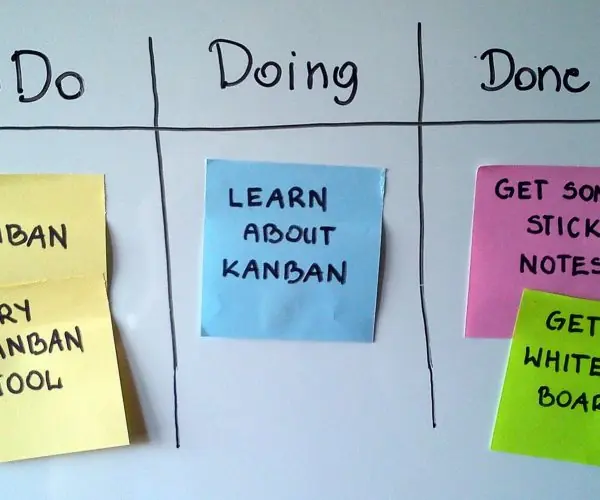
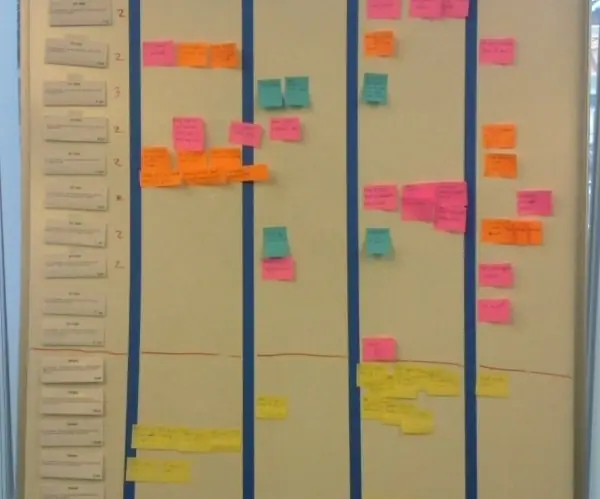
Kanban limits work in progress on a board.
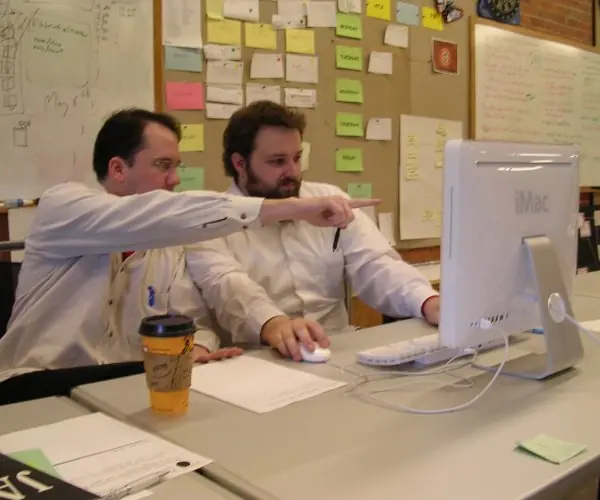
Extreme Programming (XP) takes good engineering practices to the extreme: pair programming, test-driven development (write the test first), continuous integration, small releases, refactoring (improve structure without changing behaviour), simple design, collective code ownership, an on-site customer, a sustainable pace of 40 hours a week, and user stories as requirements.
| Waterfall | Agile | |
|---|---|---|
| Requirements | fixed up front | evolve every iteration |
| Delivery | once, at the end | every few weeks |
| Customer role | at start and end | continuous |
| Change | costly | expected |
| Documentation | heavy | just enough |
1.7 Object-oriented analysis and design
OOAD models the problem as objects with attributes and operations, grouped into classes, related by association, aggregation and inheritance, communicating by messages; its principles are encapsulation, inheritance and polymorphism (as in OOP in Java, Semester II).
The Unified Modeling Language (UML) notation includes: use case diagrams (actors and what they do with the system), class diagrams (classes, attributes, operations, relationships), sequence diagrams (messages over time), activity diagrams (workflow) and state diagrams.
The Unified Process is an iterative, use-case-driven method with phases inception, elaboration, construction, transition. Analysis models what the business needs; design adds technology (classes become Java or Python code).
1.8 The origins of software and system acquisition
Software can come from several sources:
| Source | When suitable | Drawback |
|---|---|---|
| In-house development | unique needs, competitive advantage | slow, costly, needs skills |
| Off-the-shelf (packaged) software (e.g. Tally, MS Office) | common needs | needs adjusting to the package; vendor lock-in |
| Customised package (ERP) | standard process with local tweaks | expensive customisation; upgrades |
| Outsourcing (a software firm builds or runs it) | lack of staff or skills, focus on core business | dependence, confidentiality, contract management |
| Open source | low licence cost, flexibility | support and quality vary |
| Cloud / SaaS | quick start, no servers | subscription, data control |
| End-user development | small personal tools (spreadsheets) | no standards, hard to maintain |
Choosing a supplier: write a request for proposal (RFP) listing requirements; score vendors against weighted criteria (functionality, cost, support, reputation, flexibility, training); demonstrate and trial.
Reuse means building from existing components, libraries, frameworks and patterns, and saves cost and defects but requires design for reuse and documentation.
1.9 Managing the information systems project
A project is a temporary effort with defined scope, schedule and budget, run by a project manager who plans, staffs, monitors and controls. Success depends on balancing scope, time, cost and quality.
Activities: define scope, break work into tasks (work breakdown structure), estimate effort, sequence tasks, assign people, track progress, manage risks and changes, report.
Representing and scheduling project plans
A Gantt chart shows tasks as bars along a calendar. A network diagram (PERT/CPM) shows task dependencies.
Critical Path Method (CPM): compute for each activity the earliest start/finish (forward pass) and latest start/finish (backward pass); slack = LS − ES; the critical path is the longest chain with zero slack, and it fixes the project duration.
PERT uses three estimates per activity: optimistic a, most likely m, pessimistic b, with expected time t = (a + 4m + b)/6 and standard deviation (b − a)/6.
Activities (duration in weeks, predecessors): A 3 (none); B 2 (A); C 4 (A); D 3 (B); E 2 (C); F 2 (D, E). Forward pass: A 0→3; B 3→5; C 3→7; D 5→8; E 7→9; F starts at max(8, 9) = 9 → finishes 11.
Backward pass (from 11): F 9–11; E 7–9; D 6–9; C 3–7; B 4–6; A 0–3. Slack: A 0, C 0, E 0, F 0; B = 4 − 3 = 1 and D = 6 − 5 = 1. Critical path A → C → E → F = 3 + 4 + 2 + 2 = 11 weeks.
Delaying B or D by up to a week does not delay the project; delaying any critical activity does. PERT estimate: an activity with a = 2, m = 5, b = 14 has t = (2 + 20 + 14)/6 = 6, standard deviation (14 − 2)/6 = 2.
Project management software (MS Project, Jira, Trello, OpenProject) records tasks, dependencies, resources and baselines, draws Gantt charts, recalculates the critical path when dates change, tracks actual versus planned effort, and produces reports.
Typical risks: unclear requirements, scope creep, unrealistic estimates, staff turnover, new technology; managed by identifying, rating (probability × impact), planning responses and monitoring.
1.10 The life cycle as a picture, and agile practice in the field
Figure 1.1 draws the five SDLC phases as the classic waterfall staircase. Each step has a review gate: the work is checked and the sponsor decides whether to go on, change course or stop.
In practice a problem found in design often sends the team back to analysis, so the staircase is rarely followed without some rework.
Plate 1.1 shows what the agile alternative looks like in a real team: a visible task board, short stand-up meetings and developers working in pairs.
Notice that agile does not remove planning, analysis or testing; it repeats small amounts of each in every short iteration instead of doing each once.

1.11 Eight reasons why a systematic life cycle matters
- Clear stages and responsibilities. Every phase has a known purpose and a named output, so the team always knows what is finished and who owns what. A college project team can say, for example, that analysis ends when the requirements document is signed off.
- Cheaper error correction. Mistakes found early cost far less than mistakes found after delivery. Spending an extra week checking the requirements can save months of rework after the system is live.
- Better user involvement. Users take part in analysis, design reviews and acceptance tests. A system for a municipal office is more likely to be used if the ward staff helped to define its screens.
- Management control. Review gates give the sponsor points to approve, change or stop the project. Money is released stage by stage instead of all at once, which limits the loss from a bad idea.
- Documentation. Each phase leaves models and documents behind. When a new developer joins, or the original team leaves, the system can still be maintained and understood.
- Risk reduction. Feasibility study and planning expose technical, financial and schedule risks before large sums are spent. Many failed projects skipped this step.
- Quality through testing. Testing is planned from the requirements, so the delivered system can be checked against what was promised. Acceptance criteria are written before coding begins.
- Support for change. Iterative and agile variants of the life cycle accept that requirements change. Working increments are shown to users every few weeks so a wrong turn is caught quickly.
Formula and fact sheet
- SDLC: planning → analysis → design → implementation → maintenance.
- PERT expected time = (a + 4m + b)/6; σ = (b − a)/6. Slack = LS − ES = LF − EF.
- Critical path = longest path, zero slack, sets project duration.
- Waterfall: sequential, fixed requirements. Agile: iterations, change welcome. XP: pair programming, TDD, CI, refactoring.
- IS types: TPS, MIS, DSS, ESS, expert.
Chapter summary
- Information systems come in several types and are built through an SDLC under a chosen model; each model trades predictability for flexibility.
- CASE tools, SOA and OOAD/UML are supporting technologies; agile methods and XP emphasise short iterations.
- Software may be built, bought, outsourced or reused; the project manager schedules with Gantt charts and the critical path method.
Practice
- Define system, information system and systems analyst.
- Differentiate TPS, MIS and DSS with examples.
- Describe the phases of the SDLC and the output of each.
- Compare waterfall and agile; when is each suitable?
- What is RAD? List its strengths and risks.
- List the XP practices.
- Compare building in-house, buying packaged software and outsourcing.
- Activities: A 2 (none), B 4 (A), C 3 (A), D 2 (B, C). Find the project duration, critical path and slack of C.
- Compute the PERT expected time for a = 4, m = 6, b = 14.
Answers and worked solutions
1. System: interrelated components pursuing a goal. IS: people, procedures, data, hardware and software that process information. Analyst: the person who studies the business problem and defines and designs the solution.
2. TPS records transactions (a bus ticketing counter); MIS summarises them for managers (monthly sales report); DSS supports what-if decisions (a budget simulator).
3. See the table in 1.3: planning → plan; analysis → requirements and models; design → design specifications; implementation → tested installed system; maintenance → fixes and enhancements.
4. Waterfall suits stable, well-understood requirements and fixed-price contracts; agile suits changing requirements and where early feedback matters.
5. RAD builds in short timeboxes with prototypes, heavy user participation and CASE. Strengths: speed, user fit. Risks: needs a skilled small team, weak for very large or high-performance systems.
6. Pair programming, TDD, continuous integration, small releases, refactoring, simple design, collective ownership, on-site customer, sustainable pace, user stories.
7. In-house: tailored but slow and costly; packaged: quick and cheap but must adapt to the package; outsourcing: access to skills but dependence and contract management.
8. Paths: A-B-D = 2 + 4 + 2 = 8; A-C-D = 2 + 3 + 2 = 7. Duration 8; critical path A → B → D; slack of C = 8 − 7 = 1.
9. t = (4 + 24 + 14)/6 = 7.
Model answers: medium (5 marks) and long (10 marks) questions
Q1 (5 marks). Describe the phases of the systems development life cycle (SDLC) and the main output of each.
Introduction. The SDLC is a structured, phase-by-phase method for building an information system. Each phase answers one question and ends with a review gate before the next begins (Figure 1.1).
Phases.
- Planning. Decides whether the project is worth doing. Activities: identify and select the project, study feasibility (economic, technical, operational, schedule, legal, political). Output: the baseline project plan.
- Analysis. Decides what the system must do. Requirements are gathered by interviews, questionnaires and observation, and modelled with data flow diagrams and entity-relationship diagrams. Output: requirements specification and logical models.
- Design. Decides how the system will do it. Logical design is turned into physical design: database tables, screens, reports and program structure. Output: design specification.
- Implementation. Coding, testing, installation, data conversion, documentation and user training. Output: the working, accepted system.
- Maintenance. The system is corrected, adapted and enhanced during its life. Output: change requests, patches and new versions.
| Phase | Question | Main output |
|---|---|---|
| Planning | Is it worth doing? | baseline plan |
| Analysis | What must it do? | requirements, models |
| Design | How will it do it? | design specification |
| Implementation | Build and deliver | tested system |
| Maintenance | Keep it useful | updates |
Conclusion. Errors cost much more to fix in later phases (Figure 1.1), so early phases deserve careful effort.
Q2 (10 marks). Compare the waterfall, prototyping, spiral, RAD and agile approaches to system development, and recommend one for a college result-management system whose rules change every semester.
Introduction. No single life-cycle model suits every project. The choice depends on how clear the requirements are, how risky the project is, and how involved the users can be.
The models.
- Waterfall. Phases run strictly in sequence with documents as contracts. It is simple and easy to manage, but users see the product only at the end and change is costly.
- Prototyping. A quick working model is shown to users and refined. It is excellent when requirements are unclear, but can drift into endless iteration.
- Spiral. Repeated cycles of planning, risk analysis, building and evaluation. It suits large, risky systems but needs risk expertise and is expensive.
- Incremental. Working slices are delivered one after another, giving early value.
- RAD. Timeboxed builds of 60 to 90 days with heavy user involvement, reuse and CASE tools. It suits well-bounded systems.
- Agile. One- to four-week iterations deliver working software, with continuous customer collaboration and welcome for change (Plate 1.1).
| Model | Requirements | User involvement | Risk handling | Best for |
|---|---|---|---|---|
| Waterfall | fixed, clear | low until end | weak | stable, well-known systems |
| Prototyping | unclear | high | moderate | new interfaces |
| Spiral | evolving | medium | strong | large, risky systems |
| RAD | bounded | very high | moderate | small, fast systems |
| Agile | changing | continuous | strong, by short cycles | volatile needs |
Recommendation. A result-management system whose rules change every semester has changing requirements and strong user involvement (examination staff).
Agile with short iterations is the best fit: build the core mark entry and result calculation first, show it to staff after two weeks, and adjust the rules in the next iteration.
A short initial feasibility study is still needed, because even agile projects must justify cost.
Conclusion. Waterfall suits fixed requirements; prototyping, RAD and agile suit uncertainty; spiral suits risk. Matching the model to the project is part of good analysis.