Unit 2 · 7 teaching hours · 23 min read
Forms, Files, Sessions and Cookies
What the syllabus asks for 8
- Receiving form data
- Validation, sanitising and escaping
- Dates, including files
- File handling
- Cookies
- Sessions
- Sending e-mail
- Seeing the ideas: how data travels between browser and server
HTTP is stateless: the server forgets you after every response. Yet websites remember who you are, what is in your cart and what you typed into a form.
This unit shows how PHP receives form data, validates it, reads and writes files, and uses cookies and sessions to give a stateless protocol a memory.
- Handling forms:
$_GET,$_POST,$_REQUEST; validation and sanitising input; safe output. - The
date()function, include files, file handling and file upload. - Cookies and sessions; sending e-mail.
Because a command-line run has no browser, the examples simulate the request by filling the superglobal arrays ($_GET, $_POST, …) by hand. On a real server PHP fills them for you.
2.1 Receiving form data
An HTML form sends its fields to a PHP script as name/value pairs.
<form action="register.php" method="post">
  <input name="name"><input name="email"><input name="age" type="number">
  <button>Submit</button>
</form>
GET |
POST |
|
|---|---|---|
| Where data goes | in the URL (?name=Ram&age=19) |
in the request body |
| Visible/bookmarkable | yes | no |
| Size | limited (about 2 KB safe) | large |
| Use for | searching, filtering, reading | changing data, passwords, uploads |
| PHP array | $_GET |
$_POST |
$_REQUEST merges GET, POST and cookies (convenient, but ambiguous; prefer the specific array). Other superglobals: $_SERVER (request information: method, URL, client address), $_FILES, $_COOKIE, $_SESSION.
<?php
$_SERVER["REQUEST_METHOD"] = "POST";
$_POST = ["name" => "  Sita Karki ", "email" => "sita@tu.edu.np", "age" => "19", "note" => "<script>alert(1)</script>"];
if ($_SERVER["REQUEST_METHOD"] === "POST") {
    $name = trim($_POST["name"] ?? "");
    $age = filter_var($_POST["age"] ?? "", FILTER_VALIDATE_INT, ["options" => ["min_range" => 16, "max_range" => 60]]);
    $email = filter_var($_POST["email"] ?? "", FILTER_VALIDATE_EMAIL);
    echo "name=[$name] age=", var_export($age, true), " email=", var_export($email, true), "\n";
    echo "note shown safely: ", htmlspecialchars($_POST["note"]), "\n";
}
name=[Sita Karki] age=19 email='sita@tu.edu.np'
note shown safely: <script>alert(1)</script>
2.2 Validation, sanitising and escaping
Never trust input. Everything in $_GET, $_POST, $_COOKIE and $_FILES can be forged. Three separate defences:
- Validate: accept only what is expected (
filter_varwithFILTER_VALIDATE_INT,FILTER_VALIDATE_EMAIL,FILTER_VALIDATE_URL, regular expressions, length and range checks). - Sanitise or normalise: trim, strip unwanted characters.
- Escape on output for the context:
htmlspecialchars()for HTML (prevents cross-site scripting, Unit 7), prepared statements for SQL (Unit 4),escapeshellarg()for commands.
<?php
function validate(array $in): array {
    $errors = [];
    $name = trim($in["name"] ?? "");
    if ($name === "" || mb_strlen($name) > 50) $errors["name"] = "Name is required (max 50 characters)";
    if (!filter_var($in["email"] ?? "", FILTER_VALIDATE_EMAIL)) $errors["email"] = "Invalid e-mail";
    $age = filter_var($in["age"] ?? null, FILTER_VALIDATE_INT, ["options" => ["min_range" => 16, "max_range" => 60]]);
    if ($age === false || $age === null) $errors["age"] = "Age must be 16-60";
    if (!preg_match('/^9[78]\d{8}$/', $in["phone"] ?? "")) $errors["phone"] = "Phone must be a Nepali mobile number";
    return $errors;
}
print_r(validate(["name" => "Ram", "email" => "ram@x.com", "age" => "19", "phone" => "9841234567"]));
print_r(validate(["name" => "", "email" => "bad@", "age" => "7", "phone" => "12345"]));
Array
(
)
Array
(
    [name] => Name is required (max 50 characters)
    [email] => Invalid e-mail
    [age] => Age must be 16-60
    [phone] => Phone must be a Nepali mobile number
)
A form should redisplay the user's input with the error messages next to each field, escaped with htmlspecialchars.
After a successful POST, redirect (header("Location: thanks.php"); exit;) so a browser refresh does not resubmit the form (the Post/Redirect/Get pattern).
2.3 Dates, including files
<?php
date_default_timezone_set("Asia/Kathmandu");
$t = mktime(9, 30, 0, 11, 2, 2026);
echo date("Y-m-d H:i:s", $t), " | ", date("l, jS F Y", $t), " | ", date("D", $t), " | ", date("N W t L", $t), "\n";
$d1 = new DateTime("2026-11-02"); $d2 = new DateTime("2027-03-15");
echo $d1->diff($d2)->days, " days; next week = ", $d1->modify("+7 days")->format("d M"), "; ", (new DateTime("2026-02-28"))->modify("+1 day")->format("Y-m-d"), "\n";
2026-11-02 09:30:00 | Monday, 2nd November 2026 | Mon | 1 45 30 0
133 days; next week = 09 Nov; 2026-03-01
date(format, timestamp) formats a Unix timestamp: Y year, m month, d day, H:i:s time, l weekday name, N ISO weekday number. DateTime handles arithmetic and time zones. include/require were introduced in Unit 1; a typical page begins with require 'config.php'; and shares header.php and footer.php.
2.4 File handling
<?php
$file = "guests.txt";
file_put_contents($file, "Ram\nSita\n");
file_put_contents($file, "Hari\n", FILE_APPEND | LOCK_EX);
echo file_get_contents($file);
print_r(file($file, FILE_IGNORE_NEW_LINES));
$fh = fopen($file, "r");
while (($line = fgets($fh)) !== false) { echo strlen(trim($line)), " "; }
fclose($fh);
echo "\n", file_exists($file) ? "exists " : "", filesize($file), " bytes\n";
$csv = fopen("m.csv", "w"); fputcsv($csv, ["roll", "name"]); fputcsv($csv, [1, "Sita, K."]); fclose($csv);
$csv = fopen("m.csv", "r");
while (($row = fgetcsv($csv)) !== false) { echo implode("|", $row), "\n"; }
unlink("m.csv"); unlink($file);
echo file_exists($file) ? "still there" : "deleted", "\n";
Ram
Sita
Hari
Array
(
    [0] => Ram
    [1] => Sita
    [2] => Hari
)
3 4 4
exists 14 bytes
roll|name
1|Sita, K.
deleted
| Function | Purpose |
|---|---|
fopen($f, "r"/"w"/"a"), fclose |
open and close; modes as in C |
fgets, fgetcsv, fread, feof |
read a line, a CSV row, bytes |
fwrite, fputcsv, file_put_contents |
write |
file_get_contents, file() |
read everything / into an array of lines |
file_exists, is_dir, unlink, mkdir, rename, copy |
file system |
Use LOCK_EX (or flock) when several requests may write the same file at once. Never build a file path from user input without checking it (basename()), or an attacker may read ../../etc/passwd (path traversal).
File uploading
An upload form needs method="post" and enctype="multipart/form-data". PHP puts the temporary file in $_FILES; your script must validate and move it. A web server is needed to receive a real upload, so the code is shown rather than run:
// noexec
<?php
if ($_SERVER["REQUEST_METHOD"] === "POST" && isset($_FILES["photo"])) {
    $f = $_FILES["photo"];
    if ($f["error"] !== UPLOAD_ERR_OK)            die("Upload failed");
    if ($f["size"] > 2 * 1024 * 1024)             die("File too large");
    $ext = strtolower(pathinfo($f["name"], PATHINFO_EXTENSION));
    if (!in_array($ext, ["jpg", "jpeg", "png"], true)) die("Only JPG/PNG");
    if (!getimagesize($f["tmp_name"]))            die("Not an image");
    $target = __DIR__ . "/uploads/" . bin2hex(random_bytes(8)) . "." . $ext;
    move_uploaded_file($f["tmp_name"], $target) or die("Cannot save");
    echo "Saved";
}
Check the error code, size, extension and content, store the file outside the web root or with a random name (never trust $f["name"]), and never allow .php uploads.
2.5 Cookies
A cookie is a small piece of data the server asks the browser to store and send back with every later request to that site. setcookie(name, value, options) must be called before any output (it sends an HTTP header). Read it next time in $_COOKIE.
// noexec
<?php
setcookie("theme", "dark", [
    "expires"  => time() + 7 * 24 * 3600,     // one week
    "path"     => "/",
    "secure"   => true,                       // HTTPS only
    "httponly" => true,                       // not readable by JavaScript
    "samesite" => "Lax",
]);
echo $_COOKIE["theme"] ?? "no cookie yet";   // available from the NEXT request
Cookies live on the user's machine, can be read or edited by them, and are limited to about 4 KB; so store preferences in them, never secrets or prices. Delete a cookie by setting an expiry in the past.
2.6 Sessions
A session keeps the data on the server and gives the browser only a random session ID (in a cookie, normally PHPSESSID). On each request PHP finds the data belonging to that ID and loads it into $_SESSION.
<?php
ob_start();                                   // CLI only: avoid "headers already sent" noise
session_save_path(sys_get_temp_dir());
session_id("demo-session-0001");
session_start();
$_SESSION["user"] = "sita";
$_SESSION["cart"] = ["momo" => 2];
$_SESSION["cart"]["tea"] = 1;
echo "id: ", session_id(), "\n", "data: ", json_encode($_SESSION), "\n";
session_write_close();                        // data saved to a file on the server

session_id("demo-session-0001");              // a later request with the same cookie
session_start();
echo "next request sees: ", $_SESSION["user"], " with ", array_sum($_SESSION["cart"]), " items\n";
session_unset(); session_destroy();           // logout
echo "after logout: ", json_encode($_SESSION), "\n";
ob_end_flush();
id: demo-session-0001
data: {"user":"sita","cart":{"momo":2,"tea":1}}
next request sees: sita with 3 items
after logout: []
Typical use: a login page checks the password, calls session_regenerate_id(true) (to prevent session fixation), and sets $_SESSION["user_id"]; every protected page begins with session_start(); if (!isset($_SESSION["user_id"])) { header("Location: login.php"); exit; }.
Logout empties and destroys the session and cookie.
| Cookie | Session | |
|---|---|---|
| Stored | in the browser | on the server (only the ID in the browser) |
| Safety | user can read/alter | user cannot see the data |
| Size/lifetime | ~4 KB; until expiry | server memory/disk; until timeout or logout |
| Use for | preferences, "remember me" token | login state, shopping cart |
2.7 Sending e-mail
mail($to, $subject, $message, $headers) hands a message to the server's mail system. It works only if the server is configured for it, and mail from a bare PHP server is often rejected as spam, so production sites use PHPMailer or a mail API with SMTP authentication.
// noexec
<?php
$ok = mail("student@example.com", "Result published",
           "Dear student, your result is now online.",
           "From: noreply@college.edu.np\r\nContent-Type: text/plain; charset=UTF-8");
echo $ok ? "queued" : "failed";
Reject any header value containing a newline (header injection): str_contains($email, "\n") or validate with FILTER_VALIDATE_EMAIL.
2.8 Seeing the ideas: how data travels between browser and server
HTTP forgets every visitor the moment a response is sent, so forms, cookies and sessions are the tricks that let a site remember who you are.
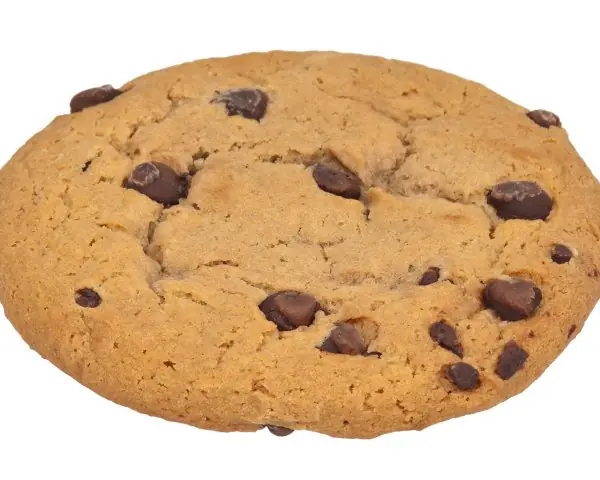
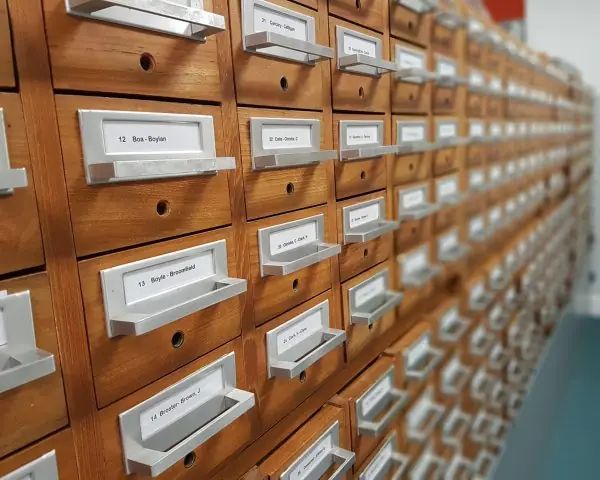
The plate gives two everyday pictures: a biscuit as a small token handed to the visitor, and a card cabinet where the server keeps the real records.
The figures below use real output from PHP 8.2.35 and from real HTTP requests made to PHP's built-in server.


2.8.1 Eight applications of cookies and sessions
- Keeping a user logged in. After a correct password the server stores the user id in
$_SESSIONand sends a session cookie. Every later page checks that value, so the visitor does not type the password again. A college portal where students see their own marks works this way. - Shopping carts. The items a customer has chosen are kept in a session array or in a cookie. The cart stays while the visitor browses other pages. An online shop in Kathmandu uses this so that the cart is not lost when the customer moves from page to page.
- Remember-me and preferences. A cookie such as
theme=darkorlang=nestores a setting for days or months. The next visit starts with the same language or colour. This saves the user from choosing again on a Nepali-language news site. - Flash messages. A message like "Record saved" is put in the session, shown once on the next page, and then removed. This lets a script redirect after a POST and still tell the user what happened. It also stops the form from being submitted twice when the page is refreshed.
- Role-based access. The session keeps the role, such as student, teacher or admin. Each page checks the role before it shows anything. A teacher can enter marks and a student can only read them.
- Multi-step forms. The answers from step 1 are kept in the session while the user fills step 2 and step 3. Only at the end is everything saved to the database. An admission form that spans several pages uses this method.
- Visit counting and analytics. A cookie with a random id tells the site that the same browser has returned. Counts of unique visitors and popular pages come from it. A tourism site can learn how many people come back.
- Security tokens. A random token in the session is placed in each form and checked on submit, which stops cross-site request forgery. Sessions can also expire after inactivity, as a banking or ConnectIPS-style page does. Both protect the user without extra work from the user.
Formula and fact sheet
GET: URL, bookmarkable, for reading.POST: body, for changes.$_REQUESTmerges both.- Validate input, escape output:
filter_var,htmlspecialchars, prepared statements. date("Y-m-d H:i:s", $ts),DateTime::diff,modify.file_get_contents,file_put_contents(.., FILE_APPEND|LOCK_EX),fopen/fgets/fclose,fgetcsv.- Upload:
multipart/form-data,$_FILES,move_uploaded_file; check error, size, type, content. setcookiebefore output; sessions:session_start(),$_SESSION,session_regenerate_id(true).
Chapter summary
- Form data arrives in
$_GETand$_POST; it must be validated and escaped because it comes from an untrusted user. - PHP reads and writes files and CSV, handles dates and uploads, but each of these needs defensive checks.
- Cookies keep small data in the browser; sessions keep state on the server and identify the user with a random ID.
Practice
- Differentiate GET and POST and say when each is appropriate.
- Write a PHP function that validates a name (non-empty), an e-mail and an age between 16 and 60 and returns an array of errors.
- Why use
htmlspecialcharson output? What does it do to<b>? - Write code that appends a line to a log file and then prints the number of lines in it.
- Differentiate cookies and sessions with examples.
- What checks should a file-upload script perform?
- What is Post/Redirect/Get and what problem does it solve?
Answers and worked solutions
1. GET sends data in the URL (visible, bookmarkable, limited size): use for searches and filters. POST sends it in the body (hidden, large): use for logins, forms that change data and uploads.
2. See validate() in Section 2.2.
3. It converts special characters to HTML entities so that user text is displayed instead of interpreted, which stops cross-site scripting:
<?php
echo htmlspecialchars("<b>Hi</b> & \"bye\""), "\n";
<b>Hi</b> & "bye"
4.
<?php
file_put_contents("log.txt", "first\n");
file_put_contents("log.txt", date("Y") . " event\n", FILE_APPEND | LOCK_EX);
echo count(file("log.txt")), " lines\n";
unlink("log.txt");
2 lines
5. A cookie is stored in the browser (preferences such as theme, language); a session stores data on the server and only an ID in a cookie (login state, cart). Sessions are safer for sensitive data because the user cannot read or edit it.
6. Check the upload error code, file size, extension and real content type (getimagesize), generate a random server-side name, store it outside the web root or in a directory where scripts cannot run, and use move_uploaded_file.
7. After processing a POST, the script redirects (header("Location: …")) to a GET page. A refresh then repeats only the harmless GET, not the form submission, preventing duplicate orders or records.
Model answers (5 and 10 marks)
Q1. Explain how PHP receives data from an HTML form. Differentiate GET and POST, and write a program that validates a registration form. (10 marks)
Introduction. An HTML form collects data, and the attribute action names the PHP script that receives it, while method chooses GET or POST.
PHP puts the received fields into the superglobal arrays $_GET and $_POST, indexed by the field's name. All values arrive as strings, whatever the user typed (Fig. 2.1).
GET and POST.
| Point | GET | POST |
|---|---|---|
| Where the data goes | in the URL after ? |
in the request body |
| Visible in the address bar and history | yes | no |
| Length limit | about 2,000 characters in practice | large, set by the server |
| Cached and bookmarked | yes | no |
| Suitable for | searching, filtering, links | login, saving, uploads |
| Safe to repeat | yes | no, the browser asks before resending |
| PHP array | $_GET |
$_POST (files in $_FILES) |
Steps for processing a form.
- Check that the request is the right method with
$_SERVER['REQUEST_METHOD']. - Read each field with the null-coalescing operator, for example
$_POST['name'] ?? '', so that a missing field does not cause a warning. - Sanitise with
trim(); validate withfilter_var()or a rule (Fig. 2.2); collect the error messages in an array. - If there are no errors, save the data (a file or database using prepared statements) and redirect.
- If there are errors, show the form again with the old values and the messages, escaping every value with
htmlspecialchars().
<?php
$_POST = ["name" => "  Sita Sharma ", "email" => "sita@example.com.np", "age" => "17", "pass" => "abc"];
$name  = trim($_POST["name"] ?? "");
$email = trim($_POST["email"] ?? "");
$age   = filter_var($_POST["age"] ?? "", FILTER_VALIDATE_INT, ["options" => ["min_range" => 16, "max_range" => 60]]);
$errors = [];
if ($name === "" || mb_strlen($name) > 50) $errors[] = "Name is required (up to 50 characters).";
if (!filter_var($email, FILTER_VALIDATE_EMAIL)) $errors[] = "E-mail is not valid.";
if ($age === false) $errors[] = "Age must be a whole number from 16 to 60.";
if (strlen($_POST["pass"] ?? "") < 8) $errors[] = "Password needs at least 8 characters.";
if ($errors) { foreach ($errors as $e) echo "- ", htmlspecialchars($e), "\n"; }
else echo "Saved ", htmlspecialchars($name), "\n";
- Password needs at least 8 characters.
Why server-side checks matter. A browser check written in JavaScript can be switched off by the user, and a request can be sent without any browser at all (for example with curl).
Only the PHP script, which runs on the server, can be trusted to enforce the rules. A good form therefore checks the same fields twice: once in the browser for speed, and once in PHP for safety.
Conclusion. GET is for reading and POST is for changing data. Whatever the method, the data comes from the user, so it must be validated on the server (JavaScript checks in the browser are only a convenience), and escaped when it is printed back.
Q2. Differentiate between cookies and sessions. Explain how a session works in PHP. (5 marks)
A cookie is a small piece of text that the server asks the browser to store; the browser sends it back with every request to that site. A session keeps the user's data on the server, and only a session id travels to the browser, in a cookie.
- Where the data lives. Cookie data is stored in the browser; session data is stored on the server (by default in a file).
- Security. A cookie can be read and changed by the user, so it must not hold passwords or roles. A session is safer because the user holds only a random id.
- Size and life. A cookie holds about 4 KB and may last for months through its expiry time; a session usually ends when the browser closes or after a timeout.
- Functions.
setcookie()and$_COOKIEfor cookies;session_start()and$_SESSIONfor sessions.
How a session works (Fig. 2.3). (1) session_start() is called before any output. (2) If the request has no cookie, PHP creates a random id and sends Set-Cookie: PHPSESSID=....
(3) PHP keeps the values stored in $_SESSION in a file named after the id. (4) On the next request the browser returns the cookie, PHP loads the file and the values are available again. (5) session_destroy() removes the data at logout.
Real run: the first request printed "Hello Sita, visit 1" and the second, with the cookie, printed "Hello Sita, visit 2". Use sessions for logins and carts, and cookies for harmless settings such as the theme.
Q3. Explain file handling in PHP. Describe the file modes and write a program to write, append and read a text file. (10 marks)
Introduction. File handling lets a PHP script store data on the server's disk without a database: logs, visitor counts, exported reports and uploaded documents. The standard steps are open, use and close.
Main functions.
fopen($path, $mode)opens a file and returns a handle, orfalseif it fails.fwrite()/fputs()writes;fgets()reads one line;fread($h, $n)reads up tonbytes;feof()tests for the end.fclose()closes the handle and releases the lock.- Shortcuts:
file_get_contents(),file_put_contents()(withFILE_APPEND) andfile(), which reads the lines into an array. - Tests and management:
file_exists(),is_readable(),filesize(),unlink()(delete),rename(),mkdir().
File modes (Fig. 2.4).
| Mode | Meaning | If the file does not exist | Result of writing xy to a file holding ABC |
|---|---|---|---|
r |
read only | fails | not writable |
r+ |
read and write from the start | fails | xyC |
w |
write, empties the file | creates it | xy |
a |
append at the end | creates it | ABCxy |
x |
create only | creates it | fails if the file exists |
Safe use. Check the result of fopen, use flock() when several visitors write at once, never build a path from user input without basename() (this prevents reading ../../etc/passwd), and keep data files outside the web root.
<?php
$file = sys_get_temp_dir() . "/visitors.txt";
@unlink($file);
file_put_contents($file, "Sita\n");
file_put_contents($file, "Ram\n", FILE_APPEND | LOCK_EX);
$h = fopen($file, "a");
fwrite($h, "Hari\n");
fclose($h);
$h = fopen($file, "r");
while (($line = fgets($h)) !== false) echo trim($line), " ";
fclose($h);
echo "| lines: ", count(file($file)), " | bytes: ", filesize($file), "\n";
echo @file_get_contents("/no/such/file") === false ? "missing file handled\n" : "";
Sita Ram Hari | lines: 3 | bytes: 14
missing file handled
Typical uses. A visitor log in a text file, a CSV export of marks for a teacher, a cached copy of a slow page, and the storage of uploaded files, which arrive in the $_FILES array and are moved with move_uploaded_file() after their size and type have been checked.
In each case the script must also decide what happens if two visitors write at the same moment, which is why LOCK_EX appears in the program.
Conclusion. Files are suitable for small, simple data. For many users and relations, a database is better (Units 3 and 4), but the open-use-close pattern, the modes and the checks are the same basic tools used in every PHP program.
Q4. What is cross-site scripting (XSS)? How do sanitising, validation and escaping protect a PHP page? (5 marks)
XSS happens when a page prints user input as it is, and an attacker has typed a script such as <script>alert(1)</script>. The browser of every later visitor runs that script, which can steal the session cookie or change the page.
- Sanitising cleans input as it arrives:
trim()removes spaces;strip_tags()removes HTML tags. - Validation accepts only values of the right shape:
filter_var($x, FILTER_VALIDATE_EMAIL), a range check or a regular expression. Real results (Fig. 2.2):'12abc'and'042'are refused as integers, and 165 fails the range 0 to 100. - Escaping is the strongest protection and is done on output:
htmlspecialchars($s, ENT_QUOTES, 'UTF-8')turns<,>,&and quotes into<,>,&and". - Defence in depth. Mark cookies
HttpOnlyso that scripts cannot read them, and add a Content-Security-Policy header.
<?php
$comment = "<script>alert(1)</script> Nice page";
echo $comment, "\n";
echo htmlspecialchars($comment, ENT_QUOTES, "UTF-8"), "\n";
<script>alert(1)</script> Nice page
<script>alert(1)</script> Nice page
The first line would run in a browser; the second shows the text safely, character for character, so a comment box on a college notice page cannot be used to attack other readers. Rule: validate on input, escape on output, every time.